

Architecting Enterprise Angular Apps with Nx Monorepos
Table of Contents
- The Evolution of Frontend Scaling
- Core Benefits of a Monorepo for Enterprise
- Architecting the Workspace: Applications vs. Libraries
- Implementation Example: Sharing Libraries Between Applications
- Optimizing Build Times with Computation Caching
- Enforcing Architecture with Module Boundaries
- Managing Third-Party Dependencies
- The Financial and Operational ROI
- Empowering Your Enterprise with Scalable Architecture
- Show all
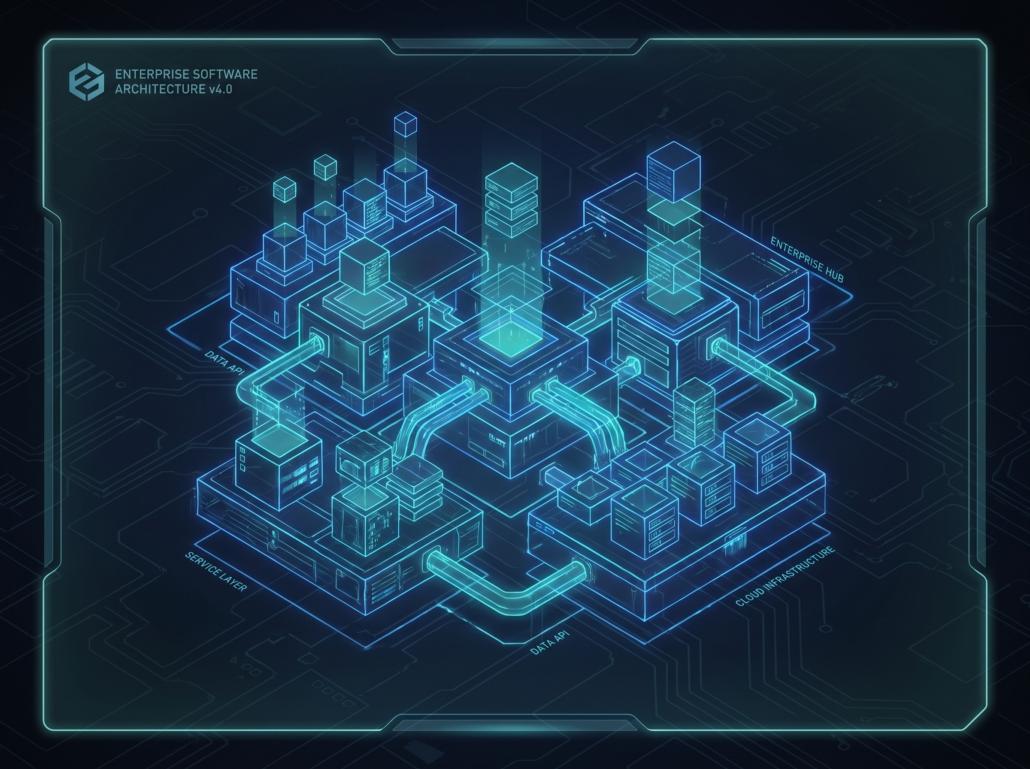
As frontend codebases grow, managing dependencies becomes a nightmare. What begins as a single, easily manageable application often evolves into a sprawling ecosystem of interconnected dashboards, customer portals, and internal tools. In traditional polyrepo setups, where every application lives in its own repository, sharing a simple UI component or standardizing a design system requires publishing internal NPM packages, wrestling with version mismatches, and dealing with duplicated code. This fragmented approach inevitably slows down feature delivery and increases maintenance overhead.
To solve these scaling challenges, modern engineering teams are shifting away from fragmented codebases. The Angular Nx monorepo architecture has emerged as the modern standard for scaling Angular applications, providing a sophisticated workspace that houses multiple applications and shared libraries within a single repository. Unlike legacy monorepos that were essentially dumping grounds for unrelated code, an Nx workspace is a smart, graph-based ecosystem. It understands the dependencies between your projects, ensuring that code is highly reusable, strictly governed, and lightning-fast to build.
At Tool1.app, we frequently encounter organizations struggling to maintain velocity as their frontend complexity scales. By migrating to an Nx-powered workspace, businesses can eliminate dependency hell, streamline their CI/CD pipelines, and empower developers to focus on delivering business value rather than fighting configuration files.
The Evolution of Frontend Scaling
To understand the value of Nx, we must first look at the historical progression of frontend architecture. Years ago, applications were built as monoliths. As these monoliths became unmanageable, the industry pivoted to microservices and, subsequently, micro-frontends or polyrepos. The polyrepo approach gave teams absolute autonomy over their specific repositories, but it introduced a new set of enterprise-level challenges:
- Version Fragmentation: App A uses Angular v15, App B uses Angular v16, and the shared design system relies on an outdated version of RxJS.
- Cumbersome Code Sharing: To share a simple button component, teams must create a separate repository, configure a build pipeline, publish it to an internal registry, and then update the package version in every consuming application.
- Inconsistent Tooling: Different repositories often end up with different testing frameworks, linting rules, and formatting standards.
An Nx monorepo solves these issues by housing multiple projects in one repository while leveraging advanced tooling to maintain speed and organization. It enforces a “Single Source of Truth.” There is only one package.json at the root of the workspace. This means all applications within the monorepo share the same version of Angular, RxJS, and third-party dependencies, completely eliminating version conflicts.
Core Benefits of a Monorepo for Enterprise
Adopting an Angular Nx monorepo architecture is not just a technical upgrade; it is a strategic business decision that directly impacts time-to-market and engineering efficiency.
Atomic Commits and Effortless Refactoring
In a traditional setup, changing the signature of a shared utility function requires multiple pull requests across various repositories, carrying a high risk of breaking an application that forgot to upgrade. In a monorepo, a developer can change the shared utility and instantly update all consuming applications in a single, atomic commit. The TypeScript compiler and Nx dependency graph will immediately flag any downstream breakages, ensuring that refactoring is safe and predictable.
Unified Developer Experience
Onboarding new developers becomes drastically simpler. Instead of cloning five different repositories and memorizing five different build commands, a new hire clones a single repository, runs a single install command, and immediately has access to the entire frontend ecosystem. Tooling for testing (Jest), linting (ESLint), and end-to-end testing (Cypress or Playwright) is standardized across the board.
Transparent Code Boundaries
Nx provides strict linting rules that govern how different parts of your workspace interact. You can define architectural boundaries to ensure that a customer-facing portal cannot accidentally import backend-specific logic or that a feature module does not create a circular dependency.
Architecting the Workspace: Applications vs. Libraries
The secret to a successful Angular Nx monorepo architecture lies in the principle that applications should contain almost no logic. Instead, applications serve purely as routing containers that stitch together features from various libraries.
When engineering teams partner with Tool1.app to overhaul their frontend infrastructure, we implement a strict folder structure divided into apps and libs.
The Apps Directory
This folder contains the actual deployable artifacts. For example, a business might have a customer-portal and an admin-dashboard. These applications are kept intentionally hollow. They contain the root Angular module, global stylesheet, and base routing configuration.
The Libs Directory
This is where the actual development happens. Libraries in Nx are not necessarily published to NPM; they are simply distinct folders of code that can be imported using path aliases. To maintain order, libraries should be categorized by type:
- Feature Libraries: Smart components that implement specific business use cases (e.g.,
checkout-floworuser-profile). They manage state and dictate the user journey. - UI Libraries: Dumb, reusable presentational components (e.g., buttons, modals, form inputs). These are highly reusable across multiple applications.
- Data-Access Libraries: Services and state management constructs (NgRx) that handle API communication and data caching.
- Utility Libraries: Pure functions, formatters, and shared TypeScript interfaces.
By splitting code into these granular libraries, you create a highly modular architecture where pieces can be snapped together like building blocks to form new applications rapidly.
Implementation Example: Sharing Libraries Between Applications
Let us explore a real-world scenario. Imagine your enterprise is building both a customer portal and an admin dashboard, and both need to utilize the exact same authentication interface and a standardized data table component.
First, you would use the Nx CLI to generate a shared UI library:
Bash
nx g @nx/angular:lib shared-ui-table --directory=libs/shared/ui-table
Next, you generate a data-access library for the authentication state:
Bash


nx g @nx/angular:lib auth-data-access --directory=libs/core/auth-data-access
When Nx creates these libraries, it automatically updates the tsconfig.base.json file at the root of your workspace, creating path mappings. This is a crucial step that makes importing shared code feel like you are using an external NPM package, without the overhead of actually publishing one.
JSON
{
  "compilerOptions": {
    "paths": {
      "@myorg/shared/ui-table": ["libs/shared/ui-table/src/index.ts"],
      "@myorg/core/auth-data-access": ["libs/core/auth-data-access/src/index.ts"]
    }
  }
}
Now, inside your admin-dashboard application, an Angular component can simply import the shared data table component seamlessly:
TypeScript
import { Component } from '@angular/core';
import { SharedUiTableComponent } from '@myorg/shared/ui-table';
import { AuthService } from '@myorg/core/auth-data-access';

@Component({
  selector: 'admin-dashboard-users',
  standalone: true,
  imports: [SharedUiTableComponent],
  template: `
    <header>User Management</header>
    <myorg-shared-ui-table [data]="userList"></myorg-shared-ui-table>
  `
})
export class UsersComponent {
  constructor(private authService: AuthService) {}
  // Component logic here
}
This modular approach ensures that if the company rebrands and the data table design needs to change, developers only update the shared-ui-table library. Both the customer portal and the admin dashboard will automatically inherit the new design during the next build process.
Optimizing Build Times with Computation Caching
A common objection to monorepos is build performance. The assumption is that if you have ten applications and fifty libraries in one repository, running a build or running the test suite will take hours. In a naive monorepo setup, this is true. However, Nx solves this problem through the concept of “Affected” commands and Computation Caching.
The Power of Affected Commands
Nx builds a dependency graph of your entire workspace by analyzing your import statements and configuration files. It knows exactly which libraries depend on which other libraries. When a developer makes a commit, they can run:
Bash
nx affected:build
Nx will analyze the Git history, determine exactly which files were modified, trace the dependency graph upward, and ONLY build the applications and libraries that were impacted by the change. If you modify the admin-dashboard, Nx will not waste time building or testing the customer-portal.
Local and Distributed Computation Caching
Nx takes performance a step further by caching the results of heavy computations, such as builds, tests, and linting. Before executing a command, Nx calculates a cryptographic hash based on the source code, the Node version, the global configuration, and the operating system. It then checks its local cache. If that exact hash has been built before, Nx skips the computation entirely and simply replays the terminal output and restores the built files from the cache. This turns a 10-minute build into a 2-second cache retrieval.
For enterprise environments, this caching can be shared across the entire team and the CI/CD pipeline using Nx Cloud or a custom distributed cache. When the CI pipeline builds a pull request, the results are pushed to the remote cache. When a developer pulls that branch down to their local machine, they inherit the cached build instantly.
The financial impact of distributed caching is substantial. For a medium-sized enterprise, inefficient CI/CD pipelines constantly rebuilding unchanged code can easily waste upward of €1,200 to €2,500 a month in cloud compute time. By leveraging an affected build strategy and distributed caching, organizations can often reduce their CI compute costs by more than 60%, redirecting those funds toward active product development rather than idle server time.
Enforcing Architecture with Module Boundaries
As a monorepo scales to dozens of developers and hundreds of libraries, tribal knowledge is no longer sufficient to maintain architectural integrity. Without strict guardrails, developers will inevitably create spaghetti dependencies, such as a shared UI component accidentally importing state management logic, or an admin-specific library leaking into the customer portal.
Nx mitigates this risk by integrating with ESLint to enforce strict module boundaries based on tags. When generating a library, you assign it specific tags in the configuration file. For instance, you can tag a project with type:feature and scope:admin.
Inside your root .eslintrc.json, you define rules mapping out exactly what dependencies are allowed:
JSON
"@nx/enforce-module-boundaries": [
  "error",
  {
    "enforceBuildableLibDependency": true,
    "allow": [],
    "depConstraints": [
      {
        "sourceTag": "type:app",
        "onlyDependOnLibsWithTags": ["type:feature", "type:ui", "type:data-access"]
      },
      {
        "sourceTag": "type:feature",
        "onlyDependOnLibsWithTags": ["type:ui", "type:data-access", "type:util"]
      },
      {
        "sourceTag": "type:ui",
        "onlyDependOnLibsWithTags": ["type:util"]
      },
      {
        "sourceTag": "scope:customer",
        "onlyDependOnLibsWithTags": ["scope:shared", "scope:customer"]
      }
    ]
  }
]
With these rules in place, if a developer attempts to import a feature from the admin scope into the customer scope, the linter will instantly fail the build. This is a strategy Tool1.app implements heavily to ensure that as your product scales, the architecture remains pristine and code boundaries are structurally enforced by the tooling itself, not just code reviews.
Managing Third-Party Dependencies
Another significant advantage of this architecture is the simplification of third-party dependency management. In a traditional multi-repo environment, upgrading a major framework like Angular is a dreaded task. It requires dedicated sprints to upgrade each repository one by one, managing the transitional period where different apps are running different versions.
In an Nx workspace, there is a single package.json file. When you need to upgrade to the latest version of Angular, you run a single migration command. Nx executes the Angular schematics across the entire workspace, updating all applications and libraries simultaneously. All tests can be run together to ensure the upgrade did not break downstream features. This drastically reduces the technical debt associated with keeping software dependencies secure and up to date.
The Financial and Operational ROI
Moving to an advanced monorepo structure requires an initial investment in refactoring and team training, but the return on investment becomes apparent very quickly. The primary ROI drivers include:
- Reduced Duplication: Development teams no longer waste time building the same UI components or API integrations multiple times.
- Accelerated Onboarding: New developers are productive within hours instead of weeks due to standardized tooling and a unified codebase.
- Optimized CI/CD Costs: Computation caching and affected builds drastically lower monthly cloud hosting and pipeline execution costs.
- Higher Quality Assurance: With atomic changes and global refactoring capabilities, the overall stability of the software ecosystem increases, leading to fewer production bugs and lower maintenance costs.
For enterprise companies, the cost of fragmented codebases isn’t just felt in the IT budget; it is felt in the inability to pivot quickly to market demands. When a new product initiative requires integrating features from three different legacy applications, a monorepo turns a multi-month integration nightmare into a standard sprint deliverable.
Empowering Your Enterprise with Scalable Architecture
Struggling with a massive frontend codebase? Implementing a robust, easily maintainable architecture is critical to keeping your engineering team fast and agile as your product offerings expand. Tool1.app specializes in designing, migrating, and optimizing enterprise Angular architectures. Whether you are battling long build times, dependency conflicts, or looking to unify multiple legacy applications into a modern Nx workspace, our team of experts can help you streamline your development process. Contact Tool1.app today for a consultation and discover how custom software architecture and advanced automation can accelerate your business growth.








Leave a Reply
Want to join the discussion?Feel free to contribute!
Join the Discussion
To prevent spam and maintain a high-quality community, please log in or register to post a comment.