
The Top 3 Multilingual Plugins for WordPress: WPML vs. TranslatePress vs. Polylang
Table of Contents
- The Architectural Challenge of Multilingual Content
- WPML: The Enterprise Translation Suite
- Polylang: The Lean Taxonomy Purist
- TranslatePress: The Visual Front-End Innovator
- Technical Benchmarks and Database Optimization Strategies
- Integrating AI and Large Language Models into Translation Workflows
- Choosing the Right Architecture for Your Business
- Ready to Take Your Business Global?
- Show all
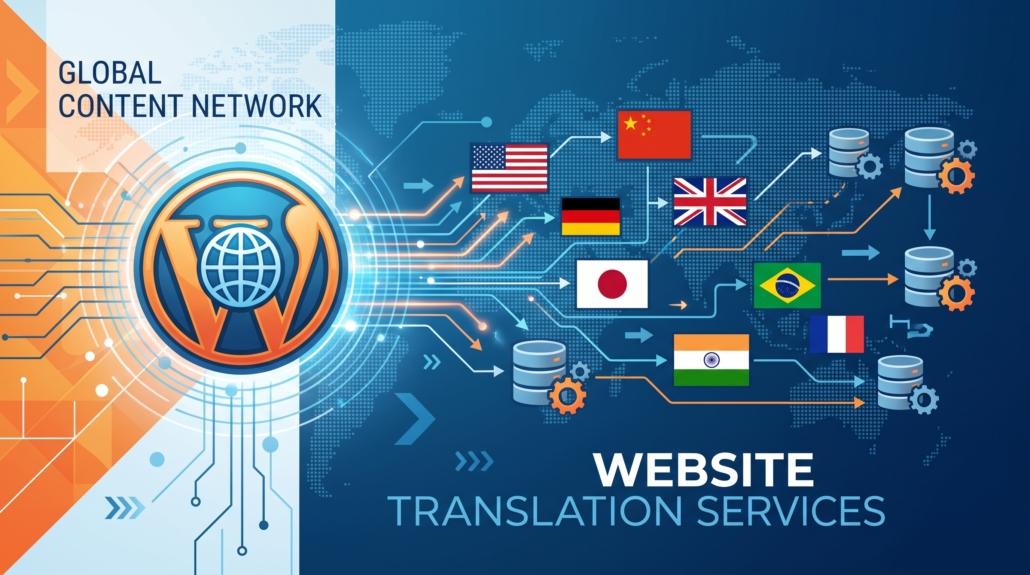
Expanding a business across international borders requires a digital presence capable of communicating flawlessly with diverse audiences. For organizations leveraging WordPress as their foundational content management system, localization is the crucial next step. However, navigating the ecosystem of translation tools can be treacherous. Businesses expanding globally need robust translation solutions, but many plugins cause severe performance degradation, database bloat, and broken page builder integrations. Finding the best WordPress multilingual plugin is not simply a matter of feature counts; it requires a deep understanding of software architecture, data structures, and search engine optimization.
At Tool1.app, our engineers specialize in custom software development, web applications, and resolving the technical bottlenecks that hinder enterprise scaling. Over years of auditing, building, and rescuing high-traffic WordPress sites, we have evaluated every major localization tool on the market. In this comprehensive technical guide, we will compare the three industry leaders—WPML, TranslatePress, and Polylang—evaluating their database structures, page builder compatibility, and SEO capabilities so you can make an informed, future-proof architectural decision.
The Architectural Challenge of Multilingual Content
WordPress was not natively designed to be multilingual. Out of the box, its database schema relies heavily on the wp_posts and wp_postmeta tables to store content and attributes. To introduce a second, third, or tenth language, a plugin must effectively duplicate or map this data without destroying server query speeds.
The method a plugin uses to handle this data mapping dictates its long-term viability for your business. Some plugins duplicate entire post rows, which increases the database size but maintains fast query times. Others rely on dictionary tables that intercept database queries and replace strings on the fly, introducing server memory overhead. Finally, cloud-based API solutions bypass the database entirely but create heavy dependencies on external services.
If your organization chooses the wrong architecture, the technical debt can be catastrophic. A poorly optimized multilingual database will lead to sluggish Time to First Byte (TTFB) metrics, frustrated users, and plummeting conversion rates. The three plugins we are examining all store data locally within your WordPress database, but their methodologies for mapping, querying, and rendering that data are vastly different.
WPML: The Enterprise Translation Suite
WPML (WordPress Multilingual Plugin) is the oldest and most widely adopted solution in the enterprise space. It is a massive, modular suite designed to handle everything from standard blogs to complex custom taxonomies, massive WooCommerce stores, and specialized backend interfaces.
Database Structure and Query Performance
WPML stores translated content as entirely separate posts within the native wp_posts table. To link these isolated posts together (for example, tying the English version of a corporate “About Us” page to the French version), WPML uses a series of custom tracking tables. The most critical of these is the wp_icl_translations table.
When you translate an element, WPML assigns a translation ID (the trid column).Every post that shares the same trid is considered a translation of the same original content. This architecture is incredibly resilient for complex data relationships. Because each translation is a distinct post ID in the database, you can assign completely different post meta, featured images, and custom fields to a translated post.
However, this structure comes at a performance cost. To handle smaller UI text elements, widget data, and hardcoded theme strings, WPML utilizes the wp_icl_string_translations table. This table is notorious for growing exponentially on large sites. Every time a page loads, WPML must run complex JOIN queries across the native WordPress tables and its own custom tracking tables. If your server is not optimized with advanced object caching (such as Redis or Memcached), a massive WPML database will lead to slow page rendering.
Page Builder and Theme Compatibility
WPML is the undisputed leader in ecosystem compatibility. Almost every premium theme and page builder—including Elementor, Divi, Beaver Builder, and the native Gutenberg block editor—officially supports WPML.
WPML achieves this by mapping page builder shortcodes and JSON data into its Advanced Translation Editor (ATE). Instead of forcing translators to navigate complex page builder layouts on the front end, WPML extracts only the raw text. It allows the translator to work in a clean, side-by-side text interface, and then safely injects the translated text back into the page builder’s structural layout. This ensures that translating a page does not accidentally break the visual design.
Search Engine Optimization Capabilities
For international SEO, WPML is exceptional. It grants server administrators granular control over URL structures, allowing businesses to choose between subdirectories (example.com/fr/), separate subdomains (fr.example.com), or completely separate top-level domains (example.fr) for different languages.
WPML automatically handles the generation of canonical tags and hreflang attributes, ensuring Google understands the geographical and linguistic targeting of each page. Furthermore, it integrates flawlessly with leading SEO plugins, allowing independent translation of meta titles, descriptions, focus keywords, and Open Graph data for social media sharing.
Pricing Models
WPML operates strictly on a premium model with no free tier. The Multilingual CMS package, which is the minimum requirement for businesses utilizing page builders, custom post types, and WooCommerce, costs approximately €99 per year. WPML also offers an integrated automated translation service driven by AI, which operates on a credit-based system depending on enterprise translation volume.
Polylang: The Lean Taxonomy Purist
For developers, system administrators, and organizations that prioritize raw database performance and a lightweight server footprint, Polylang is often the preferred architectural choice. Rather than building an intricate ecosystem of custom tables, Polylang leverages the native WordPress taxonomy architecture to handle localization.
Database Structure and Query Performance
Polylang’s brilliance lies in its absolute simplicity. When you create a Spanish translation of an English post, Polylang creates a new post in the wp_posts table, exactly like WPML. However, instead of using custom tables with complex JOIN queries to link them, Polylang registers languages as a core WordPress taxonomy.
It uses the native wp_term_relationships and wp_term_taxonomy tables to define which language belongs to which post, and which posts are translations of each other. Because it relies on native WordPress core queries rather than proprietary tracking tables, Polylang is exceptionally fast. Database bloat is virtually non-existent, and query execution times remain strictly proportional to the size of your standard WordPress tables.
Our development team at Tool1.app regularly migrates heavily bloated, slow-performing corporate websites from older translation frameworks to Polylang architectures. By stripping away custom translation tables and relying on taxonomy indexing, we instantly recover server resources, stabilize CPU load, and drastically improve frontend load speeds.
Page Builder and Theme Compatibility
Because of its lean nature, Polylang takes a more manual approach to page builders. Rather than extracting text into a separate translation management screen, Polylang duplicates the entire post—including all the embedded page builder layout data. It then requires the user to open the translated post directly inside the page builder to swap out the text.
While this guarantees exact visual replication, it can be tedious for massive enterprise sites with thousands of pages. If your business relies heavily on complex builders like Elementor, you will likely need the premium Polylang Connect for Elementor add-on to streamline the translation workflow and synchronize layout changes across different languages.
Search Engine Optimization Capabilities
Polylang matches WPML’s SEO capabilities step for step. It handles hreflang attributes natively and supports subdirectories, subdomains, and separate top-level domains effortlessly. It integrates smoothly with major SEO plugins, allowing marketing teams to optimize meta data per language.
More importantly, because Polylang is fundamentally faster at the database query level, sites utilizing this architecture often see tangible organic ranking boosts simply due to improved Core Web Vitals and faster Time to First Byte metrics. Search engines reward speed, and Polylang delivers the fastest server response times among the three leaders.
Pricing Models
Unlike WPML, Polylang offers a robust free version available directly in the WordPress repository. This free version is perfectly adequate for basic company blogs and small corporate brochure sites. However, for businesses utilizing custom post types, WooCommerce, or REST API integrations, Polylang Pro is required. Polylang Pro is priced at approximately €99 per year for a single-site license.
TranslatePress: The Visual Front-End Innovator
TranslatePress fundamentally changes how users and administrators interact with multilingual content. Instead of managing translations in the complex WordPress backend or through isolated text extractors, TranslatePress allows users to translate the entire website directly from the front end using a live visual editor.
Database Structure and Query Performance
TranslatePress operates via advanced output buffering. When a visitor requests a page, WordPress and the active page builder generate the complete HTML structure in the default language. Right before this HTML is sent to the user’s browser, the TranslatePress engine intercepts the output. It scans the HTML for recognized text strings, queries its custom database tables (such as wp_trp_dictionary_en_us_es_es), and replaces the original strings with their translated counterparts on the fly.


While this is highly effective for delivering a seamless visual translation experience, it can generate significant database row counts on dynamic, text-heavy websites. If an e-commerce site has thousands of unique strings across product filters, user reviews, and dynamic shopping carts, TranslatePress will log nearly every unique string into its dictionary tables.
Because TranslatePress executes string replacements at runtime, there is a measurable performance overhead. If your server is underpowered or if the page contains thousands of DOM elements, the output buffering process will delay the rendering of the page. Over time, this dictionary approach requires regular database maintenance to prune orphaned strings from deleted pages.
Page Builder and Theme Compatibility
TranslatePress boasts unparalleled out-of-the-box compatibility with any page builder, theme, or custom plugin. Because it operates on the final HTML output rather than the backend data structures, it literally does not matter if a text string was generated by Elementor, a custom PHP script, or a complex WooCommerce product configurator.
If the text appears on the user’s screen, TranslatePress can capture it and translate it. This makes it an incredibly user-friendly option for non-technical marketing teams and content editors who prefer a point, click, and translate workflow.
Search Engine Optimization Capabilities
The core free version of TranslatePress is functional for visual translation, but it intentionally lacks critical SEO features. To achieve enterprise-grade international SEO, businesses must upgrade to the premium version to unlock the SEO Pack Addon.
Once activated, this addon ensures that hreflang tags are correctly applied, URL slugs can be translated, and crucial SEO meta titles and descriptions are properly localized. Businesses relying on organic search traffic must factor this premium requirement into their technical budgets.
Pricing Models
While TranslatePress offers a limited free tier, the necessity of the SEO Pack Addon makes the premium versions mandatory for competitive global businesses. The Personal plan, which includes the crucial SEO features for a single site, costs €99 per year. The Business plan, which covers up to three sites and includes advanced features like unrestricted translator accounts and multiple language pairings, costs €199 per year.
Technical Benchmarks and Database Optimization Strategies
Choosing the best WordPress multilingual plugin is only the first step in building a scalable global platform. Proper database maintenance and server-level optimizations are critical to ensuring long-term stability. Below are several technical strategies and code implementations to keep these translation architectures running efficiently.
Optimizing WPML String Translations
As mentioned, WPML’s string translation table can easily reach hundreds of thousands of rows if left unmanaged. You can programmatically purge untranslated or orphaned strings by executing a targeted database cleanup via a custom function or SQL query.
PHP
// Example: Removing untranslated strings in WPML to reduce database bloat
// Note: Always back up your database before running custom SQL operations
global $wpdb;
$wpdb->query(
    "DELETE FROM {$wpdb->prefix}icl_string_translations WHERE status = 0"
);
Additionally, disabling the feature that tracks where strings appear on the site within the WPML interface is mandatory for production environments, as this feature constantly executes database writes during standard page loads.
Efficient Querying with Polylang
When engineering custom themes, headless architectures, or bespoke web applications, Polylang allows developers to query localized content with minimal overhead. Because it utilizes native taxonomies, you can pass the language parameter directly into a standard WordPress database query without triggering expensive JOIN operations.
PHP
// Example: Fetching the latest news posts in French using Polylang
$args = array(
    'post_type'      => 'post',
    'lang'           => 'fr', // Targets the French language taxonomy
    'posts_per_page' => 10,
    'post_status'    => 'publish'
);
$french_news_query = new WP_Query($args);

if ( $french_news_query->have_posts() ) {
    while ( $french_news_query->have_posts() ) {
        $french_news_query->the_post();
        // Output localized post data
    }
    wp_reset_postdata();
}
Excluding Elements in TranslatePress
To prevent TranslatePress from querying, logging, and attempting to translate strings that should remain static (such as specific CSS classes, numeric data tables, dynamic user IDs, or API response payloads), developers must use filters to exclude specific selectors from the translation buffer.
PHP
// Example: Exclude specific CSS classes from TranslatePress processing
add_filter( 'trp_no_translate_selectors', 'tool1_exclude_selectors_from_translation', 10, 2 );

function tool1_exclude_selectors_from_translation( $selectors_array, $language ){
    // Add custom classes to the exclusion array
    $selectors_array[] = '.do-not-translate';
    $selectors_array[] = '.user-dynamic-id';
    $selectors_array[] = '.api-payload-data';
    return $selectors_array;
}
By implementing this filter, you drastically reduce the processing time TranslatePress requires before rendering the final HTML output, recovering valuable milliseconds on your TTFB.
Integrating AI and Large Language Models into Translation Workflows
The landscape of content localization has been completely revolutionized by Artificial Intelligence and Large Language Models (LLMs). The manual translation of enterprise-scale websites is no longer cost-effective or strictly necessary for the bulk of standard content.
WPML has heavily invested in its Private Translation Cloud, which automatically routes content to advanced machine learning engines, including DeepL, Google Translate, and Microsoft Azure. TranslatePress has countered with its own AI infrastructure, offering up to 500,000 AI-translated words on its top-tier Developer plans. Polylang Pro natively integrates with DeepL via an API key, allowing for blazing-fast, highly accurate translations across complex taxonomies.
At Tool1.app, we frequently implement advanced Python automations and AI/LLM solutions to accelerate business workflows. When engineering multilingual architectures for our clients, we highly recommend utilizing these integrated AI translation engines as a baseline deployment strategy. The most cost-effective enterprise approach is to utilize API-driven AI translations to generate the initial localized database (reducing initial translation costs by upwards of 90%), and then employ human editors strictly to review and refine critical marketing copy, brand messaging, and high-conversion landing pages.
Choosing the Right Architecture for Your Business
Selecting the ideal plugin requires aligning the software’s architecture with your business goals, technical resources, and server infrastructure.
If your organization requires a highly complex backend architecture with multiple custom post types, intricate user role management, and an in-house team of non-technical content editors navigating page builders, WPML remains the established enterprise standard. Its feature depth and massive third-party compatibility ecosystem easily justify the learning curve and the necessary database maintenance requirements.
If your absolute priority is raw server performance, database cleanliness, and lightning-fast page load speeds to dominate technical SEO, Polylang is the undisputed champion. It is the architectural tool of choice for development agencies and technical teams who demand absolute control over their database queries without relying on heavy custom tracking tables.
If your marketing team relies entirely on visual design, and you want to bypass backend database complexity entirely to empower rapid, click-to-edit translations, TranslatePress offers the most intuitive user experience on the market. Its ability to capture and translate anything rendered on the front end makes it an exceptional choice for highly dynamic visual environments, provided your business invests in the premium tier to secure necessary SEO functionality.
Ready to Take Your Business Global?
Expanding your digital footprint into international markets is a massive growth opportunity, but poor technical execution can cripple your website’s performance, destroy your database integrity, and plummet your SEO rankings. You do not have to navigate complex database architectures, LLM API integrations, and server optimizations alone. Ready to take your business global? Tool1.app builds lightning-fast multilingual WordPress sites, custom web applications, and powerful Python automations tailored specifically to your business goals. Whether you need a ground-up scalable web platform, a database rescue operation, or an intelligent AI integration to streamline your corporate workflow, our expert development team is ready to help. Contact Tool1.app today to schedule a technical consultation and discover how we can engineer your global expansion seamlessly.








Leave a Reply
Want to join the discussion?Feel free to contribute!
Join the Discussion
To prevent spam and maintain a high-quality community, please log in or register to post a comment.