

Your AI Email Assistant: How ChatGPT Can Write Routine Client Replies
Table of Contents
- The Hidden Costs of the Unmanaged Inbox
- Essential Tools and Materials
- Understanding the Power of AI for Email
- Crafting Effective Prompts for Routine Inquiries
- Customizing and Refining AI-Generated Content
- Scaling Up: Building a Fully Automated Email Assistant
- Best Practices for AI Email Assistants
- Measuring the ROI of Email Automation
- Automate Your Emails: Start Saving Time Now!
- Show all
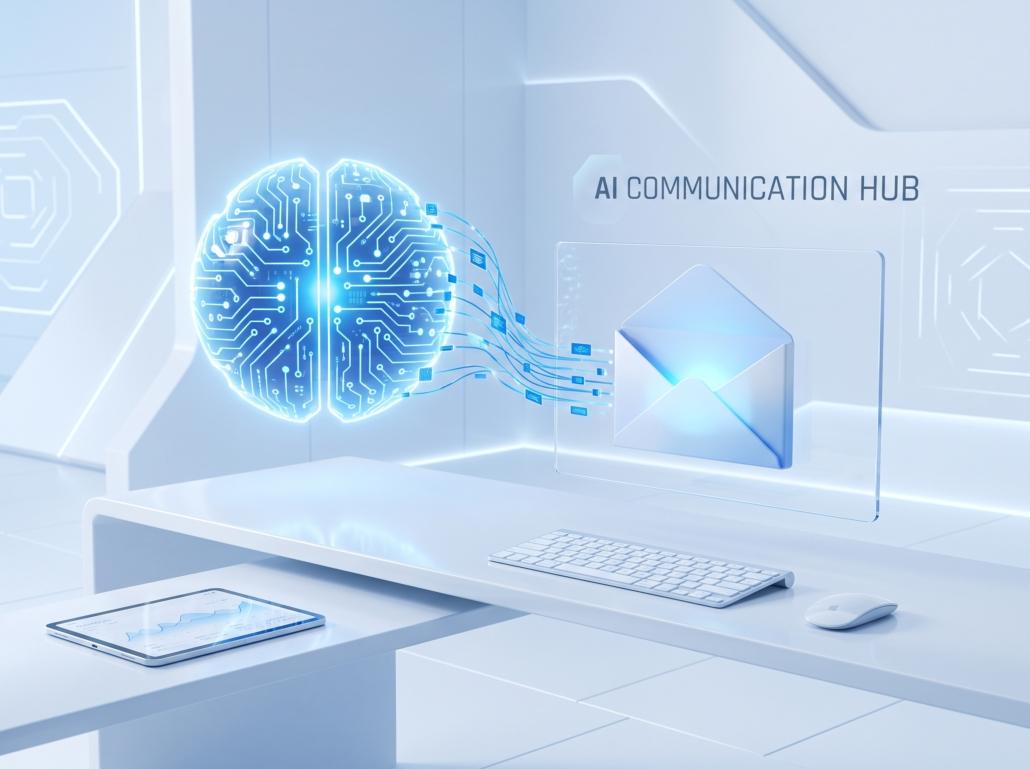
The modern business landscape moves at an unprecedented speed, and your inbox is often the epicenter of that daily whirlwind. For software development agencies, e-commerce brands, consultants, and service providers alike, client communication is the lifeblood of business operations. Yet, a significant portion of this communication consists of routine inquiries, scheduling requests, status updates, and basic troubleshooting. Handling these repetitive messages manually drains cognitive energy and diverts your focus from high-value, strategic work.
The solution to this modern bottleneck lies in artificial intelligence. Leveraging ChatGPT for email replies is no longer just a futuristic concept; it is a practical, accessible reality that can drastically transform how you manage client communications. By acting as a sophisticated digital assistant, generative AI can draft accurate, context-aware, and highly professional responses in a fraction of a second. At Tool1.app, we frequently consult with businesses that are drowning in their inboxes, and implementing AI-driven communication workflows is consistently one of the highest-impact solutions we provide.
This comprehensive guide explores everything you need to know about transforming your inbox management. We will explore the tools required, dive deep into prompt engineering for various business scenarios, learn how to maintain your unique brand voice, review security best practices, and even look at how to build a fully automated email reply system using Python.
The Hidden Costs of the Unmanaged Inbox
Before exploring the technical implementation of an AI email assistant, it is crucial to understand the economic impact of manual email management. Studies suggest the average professional spends nearly a third of their workweek reading and answering emails.
Consider the financial implications for a small business or agency. If an account manager earning €40 per hour spends just two hours a day manually typing out routine email replies, that equates to €80 per day, or roughly €1,600 per month. Across a team of five managers, the business is spending €8,000 every single month just to maintain basic communication. Beyond the direct financial cost in euros, there is an immense opportunity cost. The time spent manually typing out a response to a simple pricing inquiry could have been spent closing a major deal, developing a new product feature, or optimizing internal operations.
Implementing ChatGPT for email replies shifts this dynamic entirely. By reducing the time it takes to draft a response from five minutes to thirty seconds, businesses can reclaim thousands of euros in lost productivity while simultaneously improving client response times.
Essential Tools and Materials
To begin using AI for your client communications, you do not need an immensely complex tech stack right out of the gate. You can start with basic tools and progressively move toward fully automated, enterprise-grade solutions.
First and foremost, you need access to a sophisticated Large Language Model (LLM). ChatGPT by OpenAI is the industry standard. For manual drafting and simple prompt management, the free version of ChatGPT is highly capable. However, for businesses handling sensitive context, prioritizing speed, or looking to integrate the model directly into their software via an API, a premium tier or API access is strongly recommended.
Secondly, you need a firm grasp of professional email etiquette and a well-curated list of your most common routine client inquiries. AI thrives on patterns and context. By analyzing the types of emails you receive most frequently—such as requests for proposals, meeting scheduling, project updates, and billing questions—you can create standardized workflows for your AI assistant to follow.
Finally, for those looking to move beyond copying and pasting from a web interface, you will need integration tools. This could mean using no-code platforms to connect your Gmail or Outlook to OpenAI, or, for more robust and scalable solutions, developing custom Python automation scripts to handle the routing, drafting, and queueing of responses.
Understanding the Power of AI for Email
To effectively use ChatGPT for email replies, it is important to understand how the technology processes information. ChatGPT is not merely searching a database of pre-written templates; it is a generative model that predicts the most logical, natural-sounding sequence of words based on the context it is given.
When you feed an incoming client email into the model, it analyzes the intent, tone, and specific data points within the text. If a client writes, “Can we push our meeting to Thursday at 3 PM?”, the AI understands the temporal context, the specific request for a reschedule, and the required action.
The true power of using AI for email lies in its adaptability. Unlike static autoresponders that reply with a generic “We have received your message,” AI can generate highly specific, context-rich replies. It can check the tone of the sender—recognizing if a client is frustrated and needs a softer, more empathetic response, or if they are in a rush and require a brief, bulleted reply. This level of dynamic generation ensures that your clients feel heard and valued, even when a machine is drafting the initial response.
Crafting Effective Prompts for Routine Inquiries
The quality of an AI-generated email reply is directly proportional to the quality of the prompt you provide. Prompt engineering is the skill of structuring your instructions so that the AI understands your exact requirements, constraints, and desired output format.
A highly effective prompt for an email assistant should generally include four core components: the persona you want the AI to adopt, the context of the situation (usually the incoming email), the specific instructions on what the reply must achieve, and the constraints regarding tone and formatting.
Below, we explore several common business scenarios and provide optimized prompt templates that you can adapt for your own operations.
Scenario: Scheduling and Logistics
Scheduling meetings can often result in a frustrating back-and-forth chain of emails. AI can streamline this by clearly offering alternatives or directing the client to a booking link.
System Prompt Template:
You are an executive assistant for a software development agency. Your goal is to draft a polite, concise, and professional email reply regarding scheduling. Keep the tone warm but highly efficient. Do not use overly flowery language.
User Prompt Template:
Here is an email from a client requesting a meeting:
[Insert Client Email Here]
Please write a reply that does the following:
- Acknowledges their request and confirms our eagerness to meet.
- Informs them that I am unavailable at their suggested time.
- Offers two alternative times: Next Tuesday at 10:00 AM or Wednesday at 2:00 PM (EEST).
- Alternatively, provides this link for them to book a time directly: [Insert Calendar Link]
- Sign off as “The Client Success Team”.
By providing strict parameters, the AI will generate a perfectly formatted scheduling email that requires zero editing before sending.
Scenario: Handling Information and Pricing Requests
Routine requests for pricing, capabilities, or general company information are excellent candidates for AI drafting. Instead of typing out the same pricing structure repeatedly, you can instruct ChatGPT to pull from your standardized service list.
System Prompt Template:
You are a sales representative. Your tone should be authoritative, helpful, and welcoming.
User Prompt Template:
A prospective client has emailed asking about our custom web development services and starting costs.
[Insert Client Email Here]
Write a response addressing their inquiry with the following details:
- Thank them for their interest in our agency.
- Explain that our custom web application projects typically start around €15,000, depending on complexity, API integrations, and user roles.
- Mention that we specialize in Python automations and AI integrations.
- Ask them if they have a project brief or requirements document they can share.
- Suggest scheduling a 15-minute discovery call to provide a more accurate estimate.
Scenario: Following Up on Proposals
Following up on a sent proposal requires a delicate balance. You want to prompt the client for a decision without appearing overly aggressive or desperate. AI can help nail this tone perfectly.
System Prompt Template:
You are a senior account executive. Write a follow-up email that is professional, gentle, and demonstrates value.


User Prompt Template:
I sent a project proposal for a custom CRM build to this client exactly one week ago. I have not heard back.
[Insert Previous Thread Context]
Draft a brief follow-up email.
- Keep it under four sentences.
- Do not sound pushy.
- Simply check in to see if they had time to review the proposal.
- Offer to jump on a quick call if they have any technical questions regarding the proposed architecture.
When you master the art of prompt structuring, utilizing ChatGPT for email replies transitions from a novelty into a highly reliable business process.
Customizing and Refining AI-Generated Content
While ChatGPT is exceptionally capable, it is vital to remember that it is an assistant, not an autonomous replacement for human oversight. The raw output generated by an LLM will sometimes feel slightly robotic or lack the specific nuance of your personal communication style. Customizing and refining the AI-generated content is a critical step in the workflow.
The most effective strategy is the “Human-in-the-Loop” approach. This means the AI handles the heavy lifting of drafting the initial response, but a human reviews, edits, and ultimately approves the email before it is dispatched. This ensures quality control and prevents embarrassing miscommunications.
To ensure the AI matches your brand’s tone, you should build a “Tone Guide” into your system prompts. If your brand is highly corporate and formal, instruct the AI to avoid contractions, colloquialisms, and exclamation points. If your brand is a modern, disruptive tech startup, instruct the AI to use an energetic, conversational tone and short, punchy paragraphs.
When reviewing the AI’s output, look for common LLM tropes. ChatGPT has a tendency to use certain transition phrases, such as “I hope this email finds you well,” “Delve into,” or “Navigating the complexities of.” If you notice these recurring patterns, you can actively instruct the AI in your prompt to strictly avoid using those specific phrases.
Furthermore, always verify factual accuracy. If the AI is generating a reply regarding project timelines or financial quotes, cross-reference the numbers before hitting send. An AI might accidentally confidently state that a project will cost €5,000 and take two weeks, when the reality is a €25,000 project taking three months. The human editor must always serve as the final gateway for factual correctness.
Scaling Up: Building a Fully Automated Email Assistant
For power users, rapidly growing businesses, and enterprise teams, manually copying incoming emails into the ChatGPT web interface and pasting the reply back into an email client quickly becomes tedious. To unlock the true ROI of AI communication, you need automation.
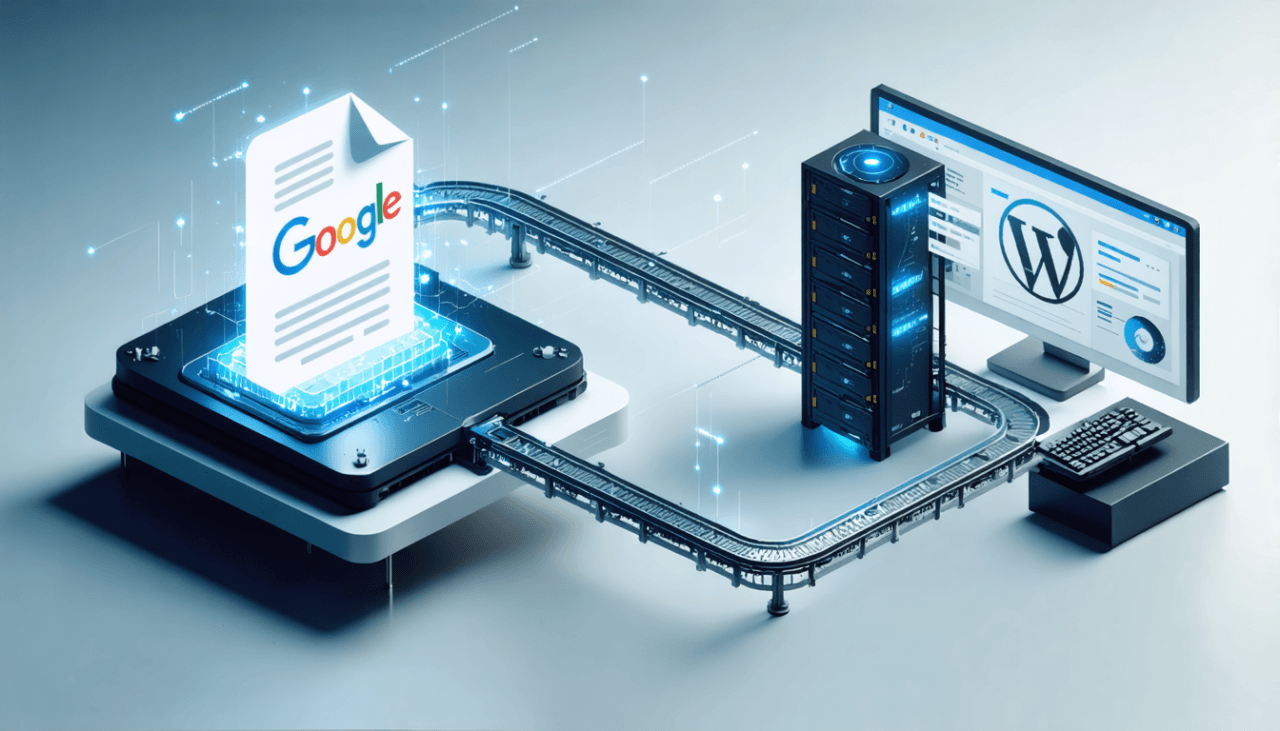
When building custom AI/LLM solutions at Tool1.app, we often implement programmatic email assistants that live entirely behind the scenes. By utilizing APIs, you can create a system that automatically reads incoming emails, categorizes them, drafts an appropriate reply using AI, and saves the draft directly in your email client for your final review.
Below is a conceptual overview and a practical Python script demonstrating how this automation can be structured. This script uses the standard imaplib to fetch unread emails, the OpenAI API to generate a reply, and smtplib to send the response or save it as a draft (depending on your email server configurations).
The Technical Architecture
To build a reliable automated email assistant, you need three main components working in harmony:
- The Email Listener: A script that connects to your mail server (via IMAP) and continuously listens for new, unread messages in a specific folder (e.g., “Client Inquiries”).
- The LLM Processor: A function that takes the body of the unread email, packages it with a predefined system prompt dictating your business logic, and sends it to the OpenAI API for processing.
- The Dispatcher: A function that takes the generated text and either sends it back to the client directly via SMTP or, preferably, pushes it into your “Drafts” folder for a final human review.
Python Implementation Example
Here is a simplified Python code snippet illustrating how to connect these pieces. Note that for production environments, you must handle authentication securely (using OAuth2 rather than plain text passwords) and include robust error handling.
Python
import imaplib
import smtplib
import email
from email.mime.text import MIMEText
from email.mime.multipart import MIMEMultipart
import openai
import os

# Configuration variables
IMAP_SERVER = "imap.yourmailserver.com"
SMTP_SERVER = "smtp.yourmailserver.com"
EMAIL_ACCOUNT = "contact@yourdomain.com"
EMAIL_PASSWORD = os.getenv("EMAIL_PASSWORD")
OPENAI_API_KEY = os.getenv("OPENAI_API_KEY")

openai.api_key = OPENAI_API_KEY

def fetch_unread_emails():
    """Connects to IMAP server and fetches unread emails."""
    try:
        mail = imaplib.IMAP4_SSL(IMAP_SERVER)
        mail.login(EMAIL_ACCOUNT, EMAIL_PASSWORD)
        mail.select("inbox")

        status, messages = mail.search(None, '(UNSEEN)')
        email_ids = messages[0].split()

        inbox_data = []
        for e_id in email_ids:
            status, msg_data = mail.fetch(e_id, '(RFC822)')
            for response_part in msg_data:
                if isinstance(response_part, tuple):
                    msg = email.message_from_bytes(response_part[1])
                    subject = msg['subject']
                    sender = msg['from']

                    # Extract email body
                    body = ""
                    if msg.is_multipart():
                        for part in msg.walk():
                            if part.get_content_type() == "text/plain":
                                body = part.get_payload(decode=True).decode()
                    else:
                        body = msg.get_payload(decode=True).decode()

                    inbox_data.append({"id": e_id, "sender": sender, "subject": subject, "body": body})

        return mail, inbox_data
    except Exception as e:
        print(f"Error fetching emails: {e}")
        return None, []

def generate_ai_reply(client_email_body):
    """Uses OpenAI API to draft a routine reply based on the email content."""
    system_prompt = (
        "You are a highly capable customer success manager. Your goal is to draft a polite, "
        "professional, and concise reply to the client's email. If the client asks for pricing, "
        "inform them our minimum engagement starts at €5,000. Do not invent any technical facts."
    )

    try:
        response = openai.ChatCompletion.create(
            model="gpt-4",
            messages=[
                {"role": "system", "content": system_prompt},
                {"role": "user", "content": f"Please draft a reply to this client email:nn{client_email_body}"}
            ],
            temperature=0.7,
            max_tokens=250
        )
        return response.choices[0].message['content'].strip()
    except Exception as e:
        print(f"Error generating AI reply: {e}")
        return None

def draft_email_response(sender_email, original_subject, reply_body):
    """Sends the drafted email or pushes it to an SMTP server (Draft logic varies by provider)."""
    try:
        msg = MIMEMultipart()
        msg['From'] = EMAIL_ACCOUNT
        msg['To'] = sender_email
        msg['Subject'] = f"Re: {original_subject}"

        msg.attach(MIMEText(reply_body, 'plain'))

        server = smtplib.SMTP_SSL(SMTP_SERVER, 465)
        server.login(EMAIL_ACCOUNT, EMAIL_PASSWORD)
        server.send_message(msg)
        server.quit()
        print(f"Successfully processed and replied to {sender_email}")
    except Exception as e:
        print(f"Error sending email: {e}")

# Main execution flow
if __name__ == "__main__":
    print("Checking for unread client inquiries...")
    mail_client, unread_emails = fetch_unread_emails()

    if unread_emails:
        for item in unread_emails:
            print(f"Processing email from: {item['sender']}")
            draft = generate_ai_reply(item['body'])

            if draft:
                # In a real scenario, you would save to a drafts folder.
                # For this example, we proceed to the send function.
                draft_email_response(item['sender'], item['subject'], draft)

                # Mark as read
                mail_client.store(item['id'], '+FLAGS', 'Seen')
    else:
        print("No new emails to process.")

    if mail_client:
        mail_client.logout()
By deploying a custom solution like this on a cloud server or through AWS Lambda, your business can passively process hundreds of routine inquiries daily. The AI parses the incoming request, drafts the appropriate reply containing accurate pricing in euros, and queues it up. This is the exact type of business efficiency transformation that custom software can provide.
Best Practices for AI Email Assistants
Integrating AI into your external communications requires a strategic and responsible approach. Clients often ask the Tool1.app development team about the risks associated with AI, particularly concerning data privacy and brand reputation. Adhering to established best practices will ensure your AI implementation is both highly effective and entirely safe.
Prioritize Data Privacy and Security
The most critical consideration when using ChatGPT for email replies is data privacy, especially if your business operates within jurisdictions governed by GDPR or similar regulations. Public language models, like the standard free tier of ChatGPT, may use inputted data to train future iterations of the model.
You must never input Personally Identifiable Information (PII) into a public AI tool. This includes a client’s full name, physical address, sensitive financial data, medical records, or proprietary business secrets. Always scrub or anonymize the email text before pasting it into the AI prompt.
If you are building an automated system using the OpenAI API, the situation is slightly different. As of current policies, OpenAI states that they do not use data submitted via their enterprise API to train their core models. However, it is still best practice to implement a data-masking layer within your Python or Node.js automation script that replaces sensitive entities (like credit card numbers or internal server IP addresses) with placeholder text before making the API call.
Guard Against AI Hallucinations
AI models, despite their sophistication, are fundamentally predictive text engines. Occasionally, they can confidently generate information that is entirely false—a phenomenon known as an AI hallucination.
In the context of email replies, a hallucination could manifest as the AI inventing a nonexistent product feature, hallucinating a discount that your business does not offer, or promising a delivery deadline that is physically impossible to meet.
This reinforces the absolute necessity of the human-in-the-loop workflow. Automated AI generation should focus on drafting, structuring, and formatting the email. The human operator is responsible for verifying the factual claims. You can heavily reduce the risk of hallucinations by providing highly specific, constraint-heavy system prompts that explicitly state: “Do not invent any information. If the answer to the client’s question is not present in the provided context, state that you will need to check with the technical team.”
Maintain Ethical Transparency
While AI can generate incredibly human-like text, there is an ongoing debate regarding the ethics of undisclosed AI communication. Should you tell your clients they are speaking to an AI?
For purely routine matters—such as sending a calendar link, confirming receipt of a document, or sending a standardized pricing sheet—explicit disclosure is generally not necessary, as the AI is merely facilitating an administrative task on your behalf. The email is still coming from your business and represents your approved messaging.
However, if you are utilizing AI to manage an entire support inbox or a dedicated helpdesk, it is an excellent practice to maintain transparency. Consider adding a subtle disclaimer to the email signature, such as: “This initial response was drafted with the assistance of AI to ensure you receive a rapid reply. A human team member will review your case shortly.” This sets proper expectations, maintains trust, and demonstrates your commitment to utilizing innovative technology to improve the client experience.
Measuring the ROI of Email Automation
To truly justify the implementation of an AI email assistant, especially if you are investing in custom software development to build an automated pipeline, you need to track the Return on Investment (ROI).
The metrics you should monitor include:
Average Handling Time (AHT): Measure the time it takes an employee to process an email manually versus the time it takes to review and send an AI draft. A reduction from five minutes to one minute represents an 80% efficiency gain.
First Response Time (FRT): Clients value speed. Monitor how quickly a client receives an initial reply after implementing automation. Dropping your FRT from several hours to a few minutes dramatically improves customer satisfaction.
Cost per Interaction: Calculate the hourly wage of the employee managing the inbox divided by the number of emails processed per hour. If an employee costs €25/hour and processes 10 emails manually, the cost per interaction is €2.50. With AI, if they can process 50 emails an hour, the cost drops to €0.50 per interaction.
When you extrapolate these savings over thousands of emails across an entire year, a custom AI integration pays for itself incredibly quickly, transforming a cost center into a hyper-efficient operational asset.
Automate Your Emails: Start Saving Time Now!
Managing client communications does not have to be a relentless, time-consuming burden. By implementing ChatGPT for email replies, you can reclaim hours of your day, dramatically reduce operational costs, and provide your clients with faster, highly professional responses. Whether you start by using simple prompt templates in the web interface or decide to scale up with a fully automated, API-driven Python backend, the integration of generative AI into your workflow is a massive competitive advantage in today’s digital economy. Do not let your inbox dictate your productivity or drain your resources. If you are ready to transition from manual administrative tasks to high-level strategic growth, we are here to build the infrastructure you need. Contact Tool1.app today for a consultation on custom software development and AI automations, and let us help you build a smarter, more efficient business.






Leave a Reply
Want to join the discussion?Feel free to contribute!
Join the Discussion
To prevent spam and maintain a high-quality community, please log in or register to post a comment.