
Turn Your Stacks of Scanned Word Docs into Searchable Digital Text Automatically
Table of Contents
- The High Cost of Unsearchable Documents
- What is OCR and How Does it Work?
- Real-World Business Use Cases
- DIY vs. Custom Automation Solutions
- Building an Automated OCR Pipeline: A Technical Perspective
- The Next Evolution: AI and Large Language Models
- Security and Compliance in Document Digitization
- Calculating the ROI of Digitization
- The Implementation Strategy
- Conclusion: Ready to Digitize Your Paperwork?
- Show all
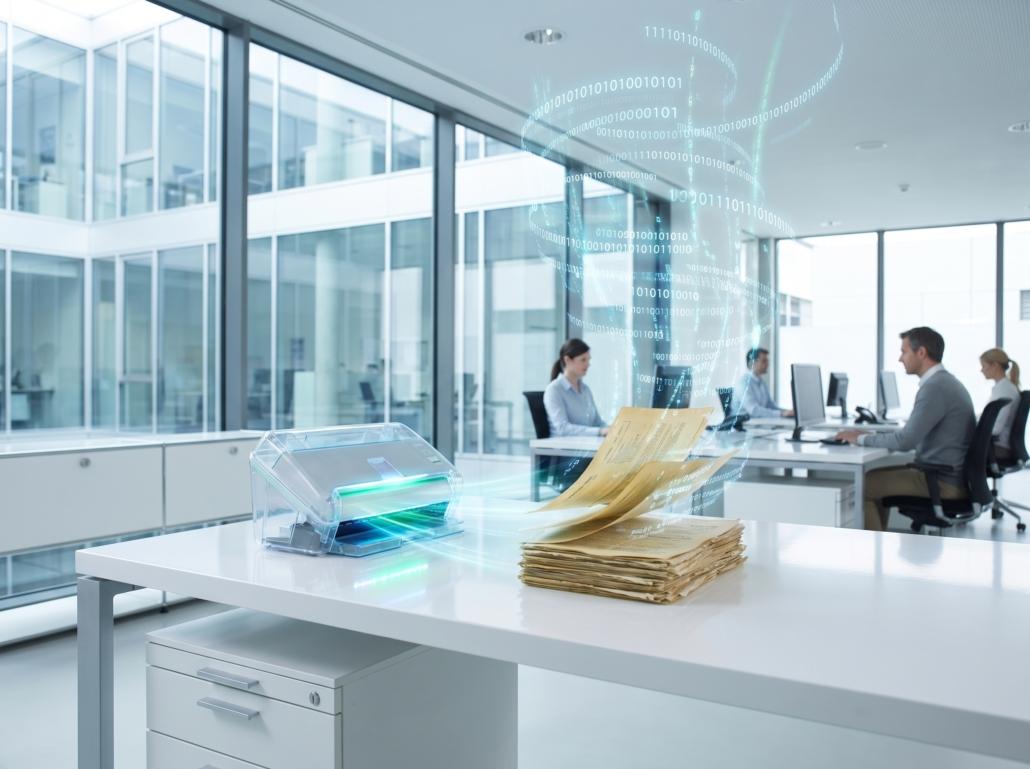
Imagine walking into your office archive room. Rows of metal filing cabinets line the walls, packed tight with decades of contracts, invoices, employee records, and vendor agreements. Now, imagine a client calls asking for a specific clause in a contract signed five years ago.
In the digital world, finding that clause takes two seconds and a quick keyboard shortcut: CTRL+F. In the physical world—or in a digital folder filled with flat, unreadable image files (like basic PDFs or JPEGs of scanned pages)—finding that clause means hours of manual reading, paper cuts, and wasted productivity.
The inability to instantly search historical documents is a massive bottleneck for modern businesses. When you cannot query your own historical data, you are fundamentally disconnected from the insights, legal protections, and operational history of your own company. The solution is to make scanned documents searchable through automated digital extraction. By turning images of paper into editable, queryable text, businesses can reclaim lost time, reduce storage overhead, and unlock the power of their archived data.
The High Cost of Unsearchable Documents
Before understanding the technology that solves this problem, it is vital to understand the financial drain of maintaining unsearchable records.
First, there is the direct labor cost. Industry estimates suggest that employees spend up to two hours a day simply searching for information. If you have an employee earning €30 per hour, wasting just one hour a day looking through physical files or unsearchable PDFs costs your business roughly €600 a month, or over €7,200 annually—per employee.
Second, there is the cost of physical storage. Commercial real estate is expensive. Dedicating premium office space to filing cabinets can easily cost a company thousands of euros a year. A standard filing cabinet takes up about one square meter of floor space (including the space needed to open it). In a city where commercial rent is €40 per square meter per month, a single cabinet costs €480 a year just to sit there.
Finally, there are the hidden costs of compliance and opportunity. If your legal or finance team cannot quickly locate signed agreements during an audit, you risk severe financial penalties. If your sales team cannot instantly pull up historical pricing data for a returning client, you risk losing leverage in negotiations. Digitization is not just about saving space; it is about risk mitigation and business intelligence.
What is OCR and How Does it Work?
The technology used to make scanned documents searchable is called Optical Character Recognition (OCR). In plain English, OCR is the bridge between a picture of text and actual, editable text.
When you scan a physical piece of paper, the computer does not see letters or words. It sees a grid of pixels. To the computer, a scanned text document is no different than a photograph of a landscape; it is just a collection of dark and light dots.
OCR software acts as a translator. It scans that grid of pixels, identifies patterns that look like human letters, and translates those patterns into machine-readable text formats (like ASCII or Unicode). Once the text is machine-readable, your computer can interact with it—meaning you can copy, paste, edit, and, most importantly, search it.
The OCR process generally follows a specific pipeline:
Image Acquisition: The physical document is scanned or photographed. This creates the initial image file (TIFF, JPEG, or flat PDF).
Preprocessing: This is where the software cleans up the image to make it easier to read. The system will automatically align the document if it was scanned crookedly (deskewing). It will convert the image to pure black and white (binarization) to increase the contrast between the ink and the paper. It will also digitally “wash” the image to remove speckles, coffee stains, or dust marks.
Character Recognition: The core engine takes over. Modern OCR uses pattern recognition and feature extraction. The software breaks the document down into lines, then words, then individual characters. It looks at the geometric features of a shape—intersecting lines, loops, and curves—and compares them against a vast database of known fonts and alphabets. When it sees a vertical line with a loop at the top right, it identifies the letter “P”.
Post-processing: Basic OCR can sometimes make mistakes, confusing an “rn” for an “m”, or a “1” for an “l”. Post-processing uses linguistic context and dictionaries to correct these errors automatically. If the software reads “Th1s is a test,” the post-processing algorithm knows “Th1s” is not a word and corrects it to “This.”
The output is a fully searchable layer of text that sits invisibly over your scanned image, giving you a document that looks exactly like the original paper but behaves like a modern Word document.
Real-World Business Use Cases
Transforming static images into dynamic text changes how entire departments operate. Here are practical ways different industries leverage OCR and automation.
Legal and Compliance Teams
Law firms and corporate legal departments drown in paperwork. During discovery phases or contract audits, paralegals historically spent weeks reading through boxes of printed case files. By using bulk OCR automation to make scanned documents searchable, legal teams can upload thousands of pages into a central database and instantly search for specific keywords, names, or dates. This turns a €15,000 manual review project into a process that takes an afternoon.
Healthcare Administration
Patient records, intake forms, and insurance claims frequently arrive as faxes or scanned images. Administrative staff spend countless hours manually typing patient data from these images into Electronic Health Record (EHR) systems. Automated OCR pipelines can read these scanned intake forms, extract the relevant text, and automatically populate the database, significantly reducing data entry errors and freeing up medical staff to focus on patient care.
Accounting and Finance
Accounts payable departments handle hundreds of invoices a month, many of which are physical paper or scanned PDFs. Without searchable text, accountants must manually type invoice numbers, vendor names, and total amounts (in €) into their accounting software. Automated extraction tools can read the scanned invoice, locate the total amount due, identify the vendor, and push that data directly into an ERP system for approval.
DIY vs. Custom Automation Solutions
When business owners decide it is time to digitize, they generally face a choice: buy off-the-shelf software or invest in custom automation.
Off-the-shelf software (like Adobe Acrobat or basic cloud OCR APIs) is fine for occasional use. If you need to make a dozen scanned documents searchable each month, a standard desktop application will suffice. However, these tools require manual human intervention for every file. An employee still has to open the file, click the OCR button, wait for it to process, save the new file, and upload it to the correct folder.
When you are dealing with thousands of historical documents, or a daily influx of hundreds of scanned forms, manual clicking is not a scalable business process. This is where custom software development agencies like Tool1.app step in to engineer automated pipelines.
A custom Python automation runs invisibly in the background. It can monitor a specific email inbox or cloud storage folder. The moment a scanned document is dropped into that folder, the custom script automatically picks it up, cleans the image, runs the OCR engine, extracts the text, saves the searchable PDF, and logs the extracted data into your company database—with zero human interaction.
Building an Automated OCR Pipeline: A Technical Perspective
To illustrate how powerful and accessible this technology is, we can look at a basic Python implementation. For technical teams and business owners looking to understand the mechanics beneath the hood, Python, combined with the open-source Tesseract OCR engine, provides a robust foundation for building document processing pipelines.
Below is a conceptual code snippet demonstrating how a script can automatically take an image of a document, convert it to grayscale for better contrast, and extract the text.
Python





import cv2
import pytesseract
from PIL import Image

def process_scanned_document(image_path):
    # Load the scanned image using OpenCV
    image = cv2.imread(image_path)

    # Preprocessing: Convert to grayscale
    gray_image = cv2.cvtColor(image, cv2.COLOR_BGR2GRAY)

    # Preprocessing: Apply thresholding to increase contrast
    _, processed_image = cv2.threshold(gray_image, 150, 255, cv2.THRESH_BINARY)

    # Save the processed image temporarily
    temp_filename = "temp_processed.png"
    cv2.imwrite(temp_filename, processed_image)

    # Use PyTesseract to extract the text from the clean image
    extracted_text = pytesseract.image_to_string(Image.open(temp_filename))

    return extracted_text

# Example usage in an automated workflow
file_to_process = "scanned_invoice_001.jpg"
searchable_text = process_scanned_document(file_to_process)

print("Document Text Extracted Successfully:")
print(searchable_text)
While this script is a simplified example, it represents the core mechanism of automation. At Tool1.app, our engineering teams take these foundational concepts and scale them into enterprise-grade architectures, wrapping them in secure APIs, integrating them with cloud storage (like AWS S3 or Google Cloud), and building intuitive web dashboards so your non-technical staff can manage the document flow effortlessly.
The Next Evolution: AI and Large Language Models
Basic OCR solves the first part of the problem: making the text searchable. But in the modern landscape of AI and Large Language Models (LLMs), searchable text is just the beginning.
Once your physical documents are converted into digital text, AI can be applied to read, understand, and categorize that text automatically. This is known as Intelligent Document Processing (IDP).
Imagine an automated system that doesn’t just read an invoice, but actually understands the context of the document. Traditional OCR might extract the text “Total: €4,500”. But an LLM integration understands that this document is an invoice from an IT vendor, that the €4,500 is for server maintenance, and that it falls under the Q3 IT budget.
By integrating custom LLM solutions, businesses can transform unstructured data (a pile of random contracts and receipts) into highly structured, actionable JSON data. You can ask an AI chatbot connected to your newly digitized archive complex questions like, “Which of our vendor contracts expire in the next 90 days?” or “What was our total expenditure on office supplies last year according to the scanned receipts?”
This level of business intelligence is impossible with physical paper, and it is impossible with basic image PDFs. It only becomes a reality when you combine robust OCR automation with advanced AI processing.
Security and Compliance in Document Digitization
When transitioning sensitive business documents from physical to digital formats, security must be a primary concern. Physical filing cabinets have a distinct advantage: they can be locked with a physical key, and data cannot be hacked from across the globe.
When you digitize documents containing personally identifiable information (PII), financial records, or proprietary trade secrets, your automation pipeline must adhere to strict security protocols.
If you are using public, free OCR tools on the internet to process your documents, you are likely violating data privacy laws like GDPR or HIPAA. Free online converters often store your uploaded documents on their servers, exposing your business to massive liability.
Building a secure, private automation pipeline ensures that your data never leaves your controlled ecosystem. Documents should be encrypted at rest and in transit. Access to the digital archive must be gated by strict Role-Based Access Control (RBAC), ensuring that an intern cannot access the digitized payroll records. By utilizing secure, self-hosted LLMs or enterprise-tier APIs with strict zero-retention policies, companies can leverage the power of AI without compromising client confidentiality.
Calculating the ROI of Digitization
To justify the transition from paper to searchable digital text, businesses must look at the Return on Investment. Let us construct a realistic scenario for a mid-sized logistics company processing 500 scanned delivery dockets and invoices a day.
In a manual system, two administrative employees spend their entire day reading these scans, renaming the files, and typing the data into the main system. The combined salary and benefits for these two employees amount to roughly €70,000 per year. Furthermore, human error results in misfiled documents, causing an estimated €5,000 a year in lost billing opportunities or late payment fees.
By investing in a custom automation solution to automatically ingest, OCR, and categorize these documents, the company eliminates the need for manual data entry. The initial software development and setup might cost €15,000, with ongoing server and API costs of around €1,200 per year.
In the first year alone, the company spends €16,200 on the automated system, but saves €75,000 in labor and error reduction. This yields a net savings of €58,800 in year one. Those two administrative employees can then be retrained and reassigned to higher-value tasks, such as customer account management or proactive sales, generating further revenue for the business rather than acting as a cost center.
The Implementation Strategy
Transitioning to a paperless, fully searchable digital archive does not happen overnight. It requires a methodical approach to ensure business continuity.
Step 1: The Archive Audit
Before scanning a single page, audit your existing physical and digital files. Determine what needs to be digitized immediately, what can be digitized over time, and what is legally safe to shred. Not every 20-year-old memo needs to be processed through an AI pipeline.
Step 2: Define the Output Goals
Do you just want to make scanned documents searchable via basic CTRL+F, or do you need to extract specific data points (like dates, names, and total amounts) to populate a database? Your end goal will dictate the complexity of the technology required.
Step 3: Hardware and Image Acquisition
Invest in high-speed, enterprise-grade automatic document feeders (ADF). A scanner that costs €800 will pay for itself in a week compared to a cheap flatbed scanner that requires an employee to lift the lid for every single page. Set the scanners to output at a minimum of 300 DPI to ensure the OCR engine has enough pixel density to read the characters accurately.
Step 4: Develop the Automated Pipeline
This is where software development comes into play. Instead of relying on manual desktop software, have a custom script built that watches your scanner’s destination folder. As soon as a batch of scans drops in, the script should automatically route it through the OCR engine, tag it, and move it to your secure cloud storage.
Step 5: Employee Training
Technology is only as effective as the people using it. Train your staff on how to search the new database, how to use the automated pipelines, and how to verify the AI’s data extraction when dealing with complex, handwritten documents.
Conclusion: Ready to Digitize Your Paperwork?
The days of relying on physical filing cabinets and static image files are over. In an era where business speed dictates market success, the inability to instantly access historical data is a critical vulnerability. By leveraging OCR technology, Python automations, and advanced AI, you can transform static pixels into dynamic, actionable intelligence. It saves money, frees up your staff, and secures your business against compliance risks.
Ready to digitize your paperwork? Tool1.app builds custom file extraction tools, AI integrations, and automated Python pipelines tailored specifically to your business needs. Stop wasting hours searching for lost documents. Contact us today to discuss how we can turn your stacks of scanned files into a fully searchable, intelligent digital database.





Leave a Reply
Want to join the discussion?Feel free to contribute!
Join the Discussion
To prevent spam and maintain a high-quality community, please log in or register to post a comment.