

Automated Email-to-Excel: Route Incoming Receipts Directly to Your Accounting Sheet
Table of Contents
- The Financial Drain of Manual Data Entry
- Decoding the Automated Workflow Architecture
- Technical Implementation Overview
- Handling the Chaos of Real-World Invoices
- Security, Compliance, and Data Privacy
- Custom Automation vs. Off-The-Shelf SaaS Tools
- Expanding the Workflow: Beyond the Inbox
- Conclusion: Transform Your Financial Operations
- Show all
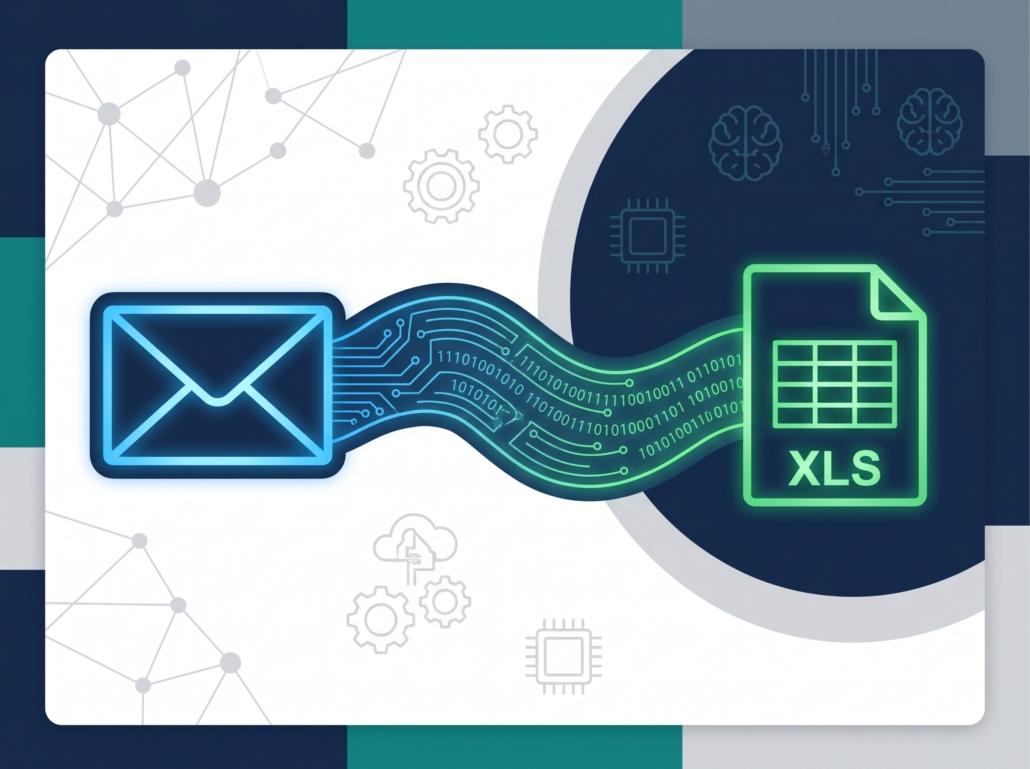
Bookkeepers and accounting teams face a relentless daily battle that drains productivity, morale, and bottom-line profitability: the inbox. Every day, dozens of emails arrive containing essential financial documents—invoices, taxi receipts, software subscriptions, and vendor bills. For many businesses, the standard operating procedure remains painfully manual. A team member must open each email, download the attached PDF or image, visually scan the document to find the total amount, tax rate, and vendor name, and manually type those figures into a master ledger or accounting spreadsheet.
This manual data entry loop is not just tedious; it is a significant bottleneck to business efficiency. It traps highly skilled financial professionals in a cycle of repetitive administrative tasks. Fortunately, modern software development and artificial intelligence offer a seamless exit strategy. By building a custom automation pipeline, businesses can completely automate email to Excel workflows, transforming an overflowing inbox into a structured, real-time database without any human intervention.
The Financial Drain of Manual Data Entry
To understand the value of automated workflows, businesses must first quantify the cost of their current manual processes. Consider a mid-sized e-commerce company or logistics firm that receives roughly 500 vendor invoices and employee expense receipts per month.
If an accountant takes just three minutes to open an email, download the attachment, read the data, cross-reference the vendor, and type the numbers into an Excel sheet, that equates to 1,500 minutes, or 25 hours of pure manual labor every single month. If that accountant’s time is valued at €40 per hour, the company is spending €1,000 every month—or €12,000 annually—just to move numbers from a PDF into a spreadsheet.
Furthermore, human error is inevitable in manual data entry. A misplaced decimal point or a transposed digit can lead to overpaid vendors, miscalculated tax returns, and agonizing hours spent auditing ledgers at the end of the fiscal quarter. The true cost of manual receipt processing extends far beyond hourly wages; it encompasses the opportunity cost of what your financial team could be doing—such as strategic forecasting and budget optimization—if they were not acting as human data-pipelines.
Decoding the Automated Workflow Architecture
Transitioning from manual data entry to a fully automated system requires connecting several distinct technological components. We are not just blindly forwarding emails; we are building a sophisticated extraction engine. At Tool1.app, we specialize in designing these exact types of custom Python automations and AI integrations for businesses seeking to modernize their operations.
To successfully automate email to Excel, the architecture must handle four distinct phases: ingestion, extraction, intelligence, and output.
Ingestion: Intercepting the Financial Payload
The first step is establishing a secure connection to the company’s designated accounting email address (for example, billing@yourcompany.com). Instead of relying on a human to monitor this inbox, a secure server-side script listens for new incoming messages. Using protocols like IMAP or modern REST APIs (such as the Microsoft Graph API for Outlook or the Google Workspace API for Gmail), the script operates in the background 24/7.
When a new email arrives, the system immediately filters it based on specific criteria. It checks the sender domain, scans the subject line for keywords like “Invoice,” “Receipt,” or “Billing,” and identifies whether the email contains an attachment. If the criteria are met, the script securely downloads the attachment to a temporary, encrypted processing environment, ignoring the marketing newsletters and spam that inevitably clutter the inbox.
Extraction: Parsing the Attachment
Receipts and invoices come in a chaotic variety of formats. Some are crisp, digitally generated PDFs directly from accounting software. Others are scanned images (JPEGs or PNGs) of crumpled taxi receipts photographed on an employee’s smartphone.
The automation script must dynamically handle these file types. For native PDFs, specialized Python libraries can extract the embedded text directly. However, for images and scanned documents, the system must deploy Optical Character Recognition (OCR). OCR technology scans the image on a pixel level, identifying shapes and converting them into machine-readable text.
Intelligence: AI and LLMs for Data Structuring
Historically, the biggest challenge in parsing invoices was layout variability. A legacy software tool would require rigid templates for every single vendor. If the vendor moved their “Total Amount” field one inch to the left, the template would break, and the automation would fail.
Today, Large Language Models (LLMs) and advanced AI have completely revolutionized this process. Once the OCR engine extracts the raw text from a document, we pass that messy, unstructured text to an AI model with a specific set of instructions. The model is trained to understand the semantic meaning of the document. It does not matter if the receipt says “Amount Due,” “Total,” “Balance,” or “To Pay.” The AI intelligently identifies the correct variables:
- Vendor Name
- Date of Transaction
- Subtotal
- Tax / VAT Amount
- Total Amount
- Currency
If an employee submits a receipt from a business trip to London in GBP, the AI can even trigger a real-time currency conversion API to automatically calculate and append the equivalent Euro (€) value for your localized accounting sheets.
Output: Writing to the Ledger
Once the AI has structured the data into a clean JSON format, the final step is writing this information to your master ledger. Using the Microsoft Graph API for Excel (or the Google Sheets API), the script locates the correct worksheet, finds the next available empty row, and accurately injects the data into the corresponding columns.
Within seconds of the email arriving in the inbox, the data appears cleanly formatted in the accounting spreadsheet, completely bypassing human interaction. The script then tags the original email as “Processed” and securely deletes the temporary attachment from the server to maintain data privacy compliance.
Technical Implementation Overview
To illustrate how accessible and powerful this technology is, we can examine a simplified version of the backend logic. While enterprise-grade solutions require robust error handling, secure credential management, and logging, the core Python logic relies on just a few specialized libraries.
A standard implementation often utilizes imaplib for fetching emails, pdf2image and pytesseract for OCR, openai for LLM-based data parsing, and openpyxl or gspread for spreadsheet management.
Python





import imaplib
import email
import json
from openai import OpenAI
import gspread

# 1. Connect to the Email Server
mail = imaplib.IMAP4_SSL('imap.gmail.com')
mail.login('billing@yourcompany.com', 'secure_app_password')
mail.select('inbox')

# Search for unread emails with attachments
status, messages = mail.search(None, '(UNSEEN)')

for num in messages[0].split():
    status, data = mail.fetch(num, '(RFC822)')
    raw_email = data[0][1]
    msg = email.message_from_bytes(raw_email)

    # 2. Extract the Attachment
    for part in msg.walk():
        if part.get_content_maintype() == 'multipart':
            continue
        if part.get('Content-Disposition') is None:
            continue

        filename = part.get_filename()
        if filename and filename.endswith('.pdf'):
            file_data = part.get_payload(decode=True)
            # Save file temporarily for processing

            # 3. OCR and Text Extraction occurs here...
            extracted_raw_text = perform_ocr(file_data)

            # 4. AI Parsing via LLM
            client = OpenAI(api_key="your_api_key")
            response = client.chat.completions.create(
              model="gpt-4",
              messages=[
                {"role": "system", "content": "Extract the Vendor, Date, and Total Amount (in Euros) from this invoice text. Return ONLY valid JSON."},
                {"role": "user", "content": extracted_raw_text}
              ]
            )

            invoice_data = json.loads(response.choices[0].message.content)

            # 5. Write directly to Google Sheets / Excel
            gc = gspread.service_account(filename='credentials.json')
            sheet = gc.open('Corporate_Ledger_2026').sheet1

            row = [
                invoice_data['Vendor'],
                invoice_data['Date'],
                invoice_data['Total_Amount_EUR']
            ]
            sheet.append_row(row)
This snippet demonstrates the elegance of a bespoke automation script. Unlike rigid legacy software, this workflow adapts dynamically to new vendor layouts thanks to the AI parsing step.
Handling the Chaos of Real-World Invoices
A theoretical workflow always works perfectly, but the reality of business operations is messy. An effective automation system must be engineered to handle edge cases gracefully without crashing or corrupting the financial ledger.
Multi-Page Invoices and Bundled Receipts
Vendors frequently send complex, multi-page PDFs where the total amount is buried on page four, or worse, they attach five separate receipts to a single email. Custom scripts are designed to iterate through every page of a document and every attachment within an email. The LLM can be instructed to sum up multiple receipts or break them down into separate line items within the Excel sheet, ensuring that no expense falls through the cracks.
Foreign Currencies and Exchange Rates
If your business operates across European borders, you might receive invoices in USD, GBP, or CHF. Manually calculating historical exchange rates for the date of the transaction is a massive time sink. By integrating a financial API into the Python script, the system can automatically check the exact exchange rate for the date printed on the receipt and output a converted, standardized Euro (€) amount into your spreadsheet alongside the original currency for auditing purposes.
Blurry Images and Handwritten Notes
Employees frequently snap photos of receipts in dimly lit taxis or write notes across the top of restaurant bills. Traditional OCR fails miserably in these conditions. However, advanced vision models, such as GPT-4o, can process images directly. Instead of relying on a multi-step OCR pipeline, the system can pass the raw image to the visual AI, which easily reads handwritten tips and squints through poor lighting to extract the precise financial data. At Tool1.app, we implement these multi-modal AI models specifically to ensure high accuracy on the lowest-quality source materials.
Security, Compliance, and Data Privacy
When dealing with financial data, security is not optional; it is the foundational requirement. Processing invoices means handling banking details, corporate addresses, and employee expense behaviors. For businesses operating within the EU, GDPR compliance dictates strict rules on how this data is transmitted, processed, and stored.
Building a custom script allows for total control over the data pipeline. Unlike public, shared SaaS automation platforms that might store your parsed data indefinitely on their own servers for training purposes, a custom deployment can be entirely siloed.
When configuring these systems, the API calls to the LLM can be routed through enterprise tiers (like Azure OpenAI) ensuring a zero-data-retention policy, meaning your financial documents are never used to train external models. Furthermore, temporary files generated during the OCR phase are immediately purged from the server memory the moment the Excel sheet is updated.
Custom Automation vs. Off-The-Shelf SaaS Tools
Business owners often ask why they should invest in custom software development when platforms like Zapier or Make exist. While these low-code platforms are excellent for simple, linear tasks, they rapidly become expensive and restrictive when handling complex financial parsing.
If you attempt to use Zapier to automate email to Excel with AI extraction, you are charged for every single step of the process. An email arrives (Task 1), it downloads the file (Task 2), it sends it to an OCR tool (Task 3), it sends that text to OpenAI (Task 4), and it writes the data to Excel (Task 5). Processing a single invoice costs 5 task credits. If you scale this across hundreds of invoices, software subscriptions, and employee expenses, your monthly SaaS bill skyrockets.
Furthermore, low-code tools struggle immensely with the edge cases discussed earlier—like handling multi-page PDFs or applying complex, conditional currency conversion logic.
A custom Python automation built by an agency requires a one-time development investment, running securely on your own server for just a few Euros a month in hosting costs, regardless of whether you process 100 invoices or 10,000 invoices. It offers limitless scalability, deep integration into your specific enterprise resource planning (ERP) software, and absolute control over your financial data.
Expanding the Workflow: Beyond the Inbox
The beauty of custom automation is that it serves as a foundation for broader digital transformation. Once the infrastructure is in place to intercept emails, extract data via AI, and write to a database, the possibilities expand far beyond simple bookkeeping.
Automated Approval Pipelines
Instead of writing directly to the final accounting ledger, the script can log the extracted invoice data into a “Pending Approval” dashboard. It can then automatically message the relevant department manager on Slack or Microsoft Teams: “A new invoice for €4,500 from Acme Corp requires approval. Click [Approve] or [Reject].” Once the manager clicks approve, the script finalizes the entry in the Excel sheet and triggers the payment software.
Inventory and Supply Chain Syncing
If the incoming document is a purchase order or a shipping manifest, the AI can extract line-item details—SKUs, quantities, and unit prices—and update your inventory management system in real-time. This eliminates the delay between a supplier sending a shipping notice and your warehouse team knowing what inventory is arriving.
Customer Onboarding
The exact same architecture used to parse receipts can be adapted for sales teams. When a new client emails a signed contract or a PDF onboarding form, the system can read the document, extract the client’s details, automatically populate your CRM (like Salesforce or HubSpot), and trigger a welcome email sequence.
Conclusion: Transform Your Financial Operations
Manual data entry is a relic of the past. The technology to read, understand, and organize complex financial documents works flawlessly today, and it is more accessible than ever. By transitioning from manual typing to an intelligent, automated pipeline, businesses eliminate human error, secure their financial data, and free up their accounting teams to focus on high-value analysis rather than low-value administration.
Building these systems requires technical precision, secure architectural design, and a deep understanding of artificial intelligence. It is an investment that pays for itself rapidly in recovered man-hours and increased operational accuracy.
Ready to stop typing and start scaling? Want your emails to do the data entry for you? Tool1.app can connect your inbox to your CRM, Excel sheets, or accounting software. Our team specializes in deploying secure, custom Python and AI automations tailored precisely to your business workflows. Contact us today for a consultation and let us turn your operational bottlenecks into automated assets.






Leave a Reply
Want to join the discussion?Feel free to contribute!
Join the Discussion
To prevent spam and maintain a high-quality community, please log in or register to post a comment.