
PBX Automation: Route, Log and Follow Up Every Call
Table of Contents
- What PBX automation actually means
- Where the data comes from
- Step 1: Map your call flows on paper
- Step 2: Clean up routing first
- Step 3: Log every call in the CRM automatically
- Step 4: Automate follow-up for missed and unresolved calls
- Step 5: Add recording, transcription and AI summaries – carefully
- The legal side: GDPR and the EU AI Act
- Common mistakes to avoid
- How to start this week
- FAQ
- Show all
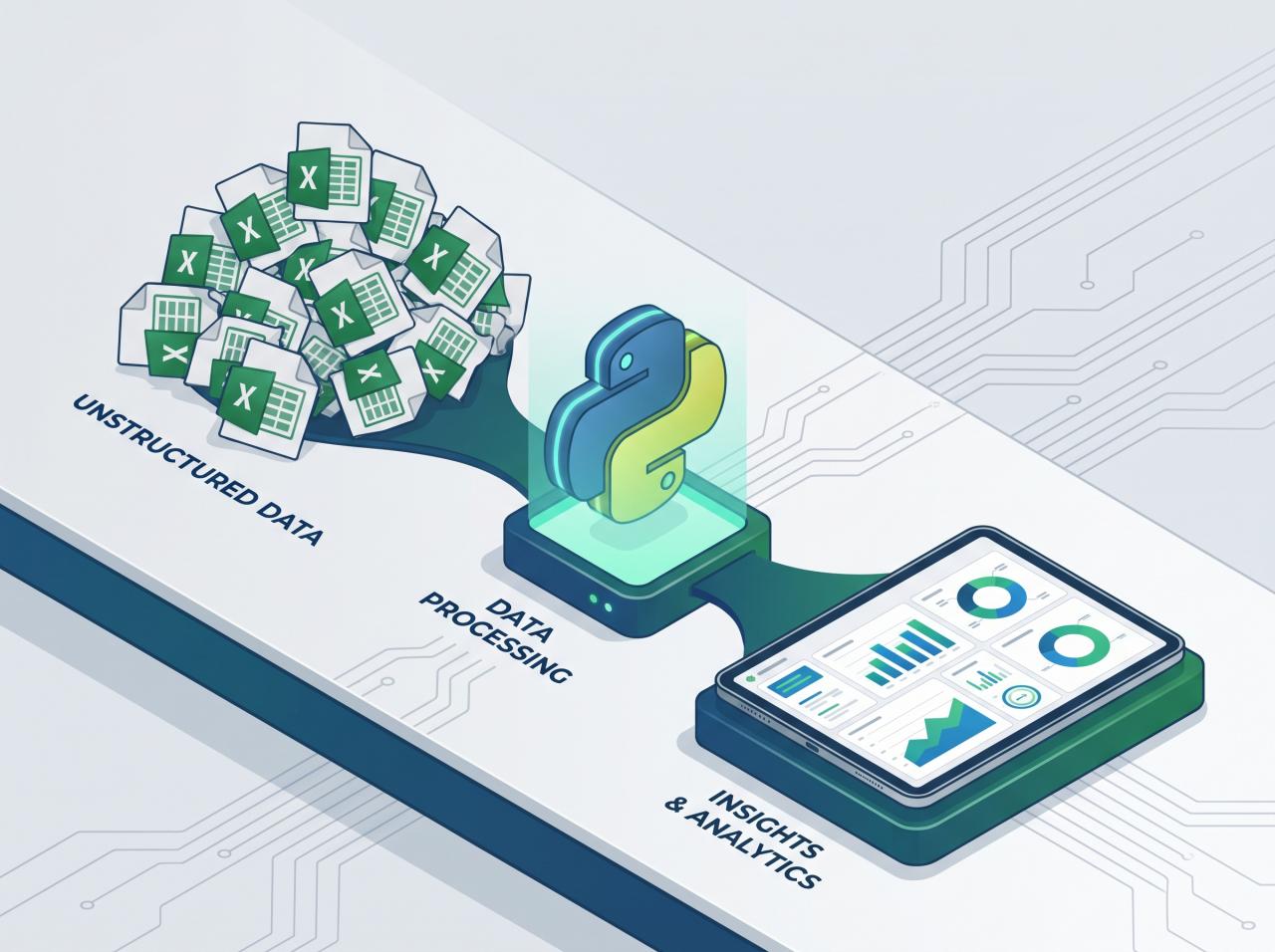
Most small and mid-sized companies already pay for a phone system that can do far more than ring a few desk phones. A modern PBX – whether it is a cloud service or an on-premise box running Asterisk, FreePBX, 3CX or Yeastar – produces events for every call: who called, which number they dialled, who answered, how long it lasted and whether anyone picked up at all. In most offices that information goes nowhere, and the CRM never learns that the conversation happened.
PBX automation connects those call events to the rest of your business: routing rules that send each caller to the right person, automatic logging in the CRM, follow-up tasks, summaries and reminders. This guide explains what is realistically possible, how to plan it step by step and which legal points you need to cover in the EU.
What PBX automation actually means
A PBX (private branch exchange) is the switchboard behind your business numbers. “Automation” here means letting software react to what happens on that switchboard instead of relying on people to remember the next step. In practice it falls into four layers:
- Smart routing – deciding where a call goes based on the number dialled, the time of day, the caller’s history or a simple menu choice.
- Call logging – writing every inbound and outbound call into the CRM against the right contact, automatically.
- Follow-up actions – creating tasks, sending an SMS or email, or booking a callback when a call is missed or ends with an open question.
- Recording, transcription and summaries – where it is lawful and useful, turning the conversation into a short written summary attached to the client record.
Where the data comes from
Before designing anything, find out what your phone system exposes. The common options are:
- Webhooks or call-event notifications. Many cloud PBX providers can send an HTTP request to your server when a call starts, is answered or ends. This is the easiest source to work with.
- APIs and CDR exports. Almost every system keeps Call Detail Records (CDR): time, caller ID, destination, duration and disposition (answered, busy, no answer). These can be read through an API or a scheduled export.
- Asterisk Manager Interface (AMI) and ARI. On Asterisk-based systems such as FreePBX, AMI streams live events and ARI lets an application control calls. This gives the most flexibility but needs a developer who knows the platform.
- Built-in CRM connectors. Some systems ship ready-made integrations for popular CRMs. Check what they actually sync – often only basic call logging, without your own fields or follow-up rules.
If your provider offers none of these, automation is still possible through email notifications or exported reports, but it will be slower and less reliable.
Step 1: Map your call flows on paper
Start with a whiteboard, not software. List every number the company publishes and answer a few questions for each:
- Who should answer during working hours, and in what order?
- What happens after hours, on weekends and on public holidays?
- What happens when nobody picks up within a reasonable time?
- Which callers are existing clients and which are new leads?
- What should exist in the CRM after the call – a note, a task, an updated deal stage?
This exercise usually reveals the real problem. Often it is not the phone system at all but the fact that nobody owns missed calls, or that sales and support share one number with no way to tell the calls apart.
Step 2: Clean up routing first
Routing is configured inside the PBX itself and needs no custom code. Typical improvements:
- Time-based rules that send calls to a different group, voicemail or an out-of-hours message based on your real working hours and holiday calendar.
- Ring groups and queues so that a call reaches the next available person instead of ringing one desk indefinitely.
- Separate numbers or menu options for sales, support and accounts, so each call arrives already labelled.
- Caller-ID based routing for key accounts – once the CRM knows a number belongs to a client, the call can go straight to their account manager.
Keep menus short. Every extra option is a reason for a caller to hang up.
Step 3: Log every call in the CRM automatically
This is where integration starts. A small middleware service (or an integration platform, if the logic is simple) receives the call event and:
- Normalises the phone number into a standard international format, so “0888…” and “+359888…” match the same contact.
- Looks the number up in the CRM.
- If a contact exists, adds an activity with direction, time, duration, the employee who handled it and the outcome.
- If no contact exists, creates a lead or an “unknown caller” record so the call is not lost.
Once this runs, sales and support see the full communication history in one place, and managers can see which leads were actually called back. If your client data is still spread across spreadsheets and documents, sort that out first – our article on how to stop losing customer data in Word files and move to a CRM covers that step.
Step 4: Automate follow-up for missed and unresolved calls
A missed call from a new prospect is often a lost deal, because the caller simply rings the next company on the list. With call events flowing into your system you can react within seconds:






- Send the caller an SMS confirming that you saw the call and will ring back, with a link to book a time.
- Create a callback task in the CRM, assigned to the right person, with a due time.
- Escalate to a manager if the task is still open after a set period.
We described this pattern in detail in missed call text back: automate SMS and CRM follow-up. For booking links and callback slots, a calendar integration such as the one in our Google Calendar scheduling integration guide closes the loop.
Step 5: Add recording, transcription and AI summaries – carefully
Speech-to-text models have made call transcription affordable and accurate enough for business use. A typical flow takes the recording once the call ends, sends it to a transcription service, asks a language model for a short structured summary (reason for the call, agreed next steps, deadlines) and saves that summary to the CRM record. The technical side is similar to meeting transcription, which we covered in our OpenAI Whisper API tutorial for automated meeting transcriptions.
Practical rules that keep this useful:
- Store the summary in the CRM, and keep the full recording only as long as you actually need it.
- Ask the model for a fixed structure (topic, decisions, next steps, open questions) so summaries are consistent and easy to scan.
- Let the employee who took the call review or correct the summary when it matters, for example for quotes or contract terms.
- Do not let an AI summary trigger irreversible actions, such as sending an offer, without a human check.
The legal side: GDPR and the EU AI Act
Recording and analysing calls means processing personal data, so in the EU you need to think about GDPR before switching anything on:
- Lawful basis and transparency. Decide on what basis you record calls and tell callers clearly at the start of the call. Some EU countries add their own national rules on call recording, so check the local requirements.
- Data minimisation and retention. Record only the lines where it is justified, and define how long recordings and transcripts are kept.
- Processors and data location. Transcription and AI providers process the audio on your behalf. You need a data processing agreement and should know where the data is stored and whether it leaves the EU.
- Access control. Recordings often contain sensitive details. Limit who can listen to them and log access.
If you put an AI voice assistant on the line – for example to answer after-hours calls – the EU AI Act’s transparency rules require that people are informed they are talking to an AI system. Our EU AI Act compliance guide explains which obligations apply to which kinds of AI use. None of this is legal advice; involve your data protection officer or lawyer for the final setup.
Common mistakes to avoid
- Automating a broken process. If nobody is responsible for callbacks today, an automatic task simply creates an ignored task. Agree on ownership first.
- Inconsistent phone numbers. Without number normalisation, the integration creates duplicate contacts and the call history splits across records.
- Logging everything without context. A list of hundreds of “call, 2 minutes” activities is noise. Add the outcome and a short note or summary.
- No monitoring. Webhooks fail silently. Add basic monitoring so you know when call events stop arriving.
How to start this week
- Ask your phone provider which events, APIs or webhooks your plan supports.
- Map the call flows for each published number, including after-hours handling.
- Fix routing inside the PBX.
- Connect call logging to the CRM with phone-number normalisation.
- Add missed-call follow-up, then consider transcription and summaries once the basics run reliably.
If you want help connecting your phone system to your CRM, ERP or accounting tools, TOOL1 builds custom automations for small and mid-sized businesses – from call routing and logging to AI summaries that fit your existing processes.
FAQ
Do I need to replace my phone system to automate calls?
Usually not. Most cloud PBX services and Asterisk-based systems already expose call events, call records or an API. The first step is to check what your current plan supports; replacement only makes sense if it exposes no data at all.
Which CRM works best with a PBX?
Any CRM with a solid API can work. What matters more is whether you can match calls to contacts reliably, which depends on clean, normalised phone numbers and a clear rule for unknown callers.
Is it legal to record business calls in the EU?
It can be, but you need a lawful basis under GDPR, clear information for callers, a defined retention period and agreements with any providers that process the recordings. National rules differ, so confirm the requirements for your country.
Can AI answer calls instead of a receptionist?
An AI voice assistant can handle simple tasks such as taking a message, answering common questions or booking a callback, especially after hours. Under the EU AI Act, callers must be told they are speaking with an AI system, and complex or sensitive calls should still reach a person.
How long does a PBX–CRM integration take?
It depends on the phone system, the CRM and how many rules you need. Basic call logging is the simplest part; routing logic, follow-up workflows and AI summaries add scope. A short discovery of your call flows gives a reliable estimate.





Leave a Reply
Want to join the discussion?Feel free to contribute!
Join the Discussion
To prevent spam and maintain a high-quality community, please log in or register to post a comment.