
How to Stop Losing Customer Data When Switching Between Word and Your CRM
Table of Contents
- The Hidden Costs of Disconnected Data
- Why Traditional Integrations and Copy-Pasting Fail
- Designing the Ideal Custom Bridge
- Step-by-Step Technical Blueprint for Automation
- Elevating the Solution with AI and LLMs
- Managing Edge Cases and Ensuring Reliability
- Security, Authentication, and GDPR Compliance
- Measuring the ROI of Custom Automation
- Streamline Your Data Workflow Today
- Show all

In the fast-paced environment of modern enterprise sales and account management, speed is everything. When a high-stakes discovery call begins, sales representatives and account managers need a frictionless way to capture information. For many professionals, complex Customer Relationship Management (CRM) platforms are simply too slow and cumbersome for real-time note-taking. The natural reflex is to open Microsoft Word, Apple Notes, or a simple text editor like Notepad. These tools are instantly accessible, highly responsive, and free from the distraction of mandatory dropdown fields.
However, this widespread habit creates a massive operational vulnerability. As the day progresses, representatives jump from one call to the next. Notes pile up in local, unstructured files. By the end of the week, the sheer volume of fragmented data makes manual data entry an exhausting chore. Inevitably, critical customer insights, follow-up commitments, and nuanced deal details are forgotten or abandoned. The result is a compromised CRM, lost revenue, and a fractured customer experience.
To solve this, businesses must build seamless digital bridges that respect the user’s need for a fast, frictionless note-taking interface while fulfilling the organization’s need for structured, centralized data. The solution is not to force users into a slow CRM interface during a call, but to engineer an automated pathway that will effortlessly sync notes to CRM databases in the background.
The Hidden Costs of Disconnected Data
The financial and operational consequences of fragmented note-taking are staggering when evaluated at an enterprise scale. When customer intelligence remains trapped in a local Word document, the entire organization operates blindly. Marketing teams cannot segment properly, customer success teams are caught off-guard during onboarding, and sales leadership cannot accurately forecast pipeline health.
Consider the direct financial impact. If a sales representative handles a portfolio of enterprise clients, missing a subtle detail regarding a client’s budget cycle or specific pain point can easily cost an organization deals valued anywhere from €10,000 to €150,000. Furthermore, the administrative burden of manual data entry drains expensive human capital. If a team of twenty sales representatives spends just four hours a week manually copy-pasting and formatting notes into a CRM, that translates to over four thousand hours of lost productivity annually. At a conservative estimate of €45 per hour for a skilled representative, this administrative friction costs the business €180,000 every single year.
Beyond direct revenue loss and wasted payroll, there is a significant compliance risk. Under data protection regulations such as the GDPR, personally identifiable information (PII) must be managed, secured, and easily auditable. Storing sensitive customer data in scattered, unencrypted local text files or Word documents is a serious compliance violation that could lead to devastating fines.
At Tool1.app, we frequently consult with businesses experiencing these exact growing pains. The root of the problem is rarely a lack of discipline among staff; rather, it is a failure of software architecture. The systems in place force human workers to act as manual data pipelines, a task better suited for custom automation.
Why Traditional Integrations and Copy-Pasting Fail
Many organizations attempt to solve this data fragmentation by mandating stricter CRM policies or purchasing off-the-shelf integration tools. These approaches usually fail because they misunderstand the user’s environment.
Enforcing a “CRM-only” note-taking policy usually results in poorer quality notes. CRM interfaces are designed for data storage, not rapid text input. They are heavily structured, often requiring the user to navigate through multiple tabs and mandatory fields just to log a simple interaction. This cognitive load detracts from active listening during client calls.
Conversely, relying on human memory to copy-paste data at the end of the day introduces massive data decay. Human memory degrades rapidly; a detail that seemed crucial at 10:00 AM is completely forgotten by 4:30 PM. Furthermore, plain text copied from a Word document into a generic CRM text box is unstructured. It cannot be easily searched, filtered, or utilized by automated marketing workflows.
The optimal solution requires a fundamental shift in technical strategy. We must decouple the interface where data is captured from the database where it is stored.
Designing the Ideal Custom Bridge
To effectively sync notes to CRM systems without disrupting the workflow of your team, you need a custom-built digital bridge. This bridge typically takes the form of a lightweight desktop application or an easily accessible, fast-loading internal web form.
The Desktop Application Approach
A desktop application, built using frameworks like Electron or Tauri, can sit quietly in the system tray. Using a global keyboard shortcut, a user can instantly summon a minimalist, distraction-free text editor over any other application. The user types their notes during the call, hits “Save,” and the window disappears. In the background, a local daemon processes the text, authenticates with the CRM API, and routes the data to the correct customer profile.
The Web Form Approach
Alternatively, a custom web form built with React or Vue.js offers a highly accessible solution without requiring local software installation. This form can be pinned as a browser tab and designed for extreme speed. Unlike the native CRM interface, this custom form can feature a single, massive text area for notes, coupled with an intelligent search bar that rapidly queries the CRM for the correct contact using debounced API calls.
Our software development agency, Tool1.app, specializes in designing these exact types of custom middleware solutions. By prioritizing the user experience of the data-entry layer and relying on robust API automation for the storage layer, businesses achieve 100% CRM compliance with zero friction for the end user.
Step-by-Step Technical Blueprint for Automation
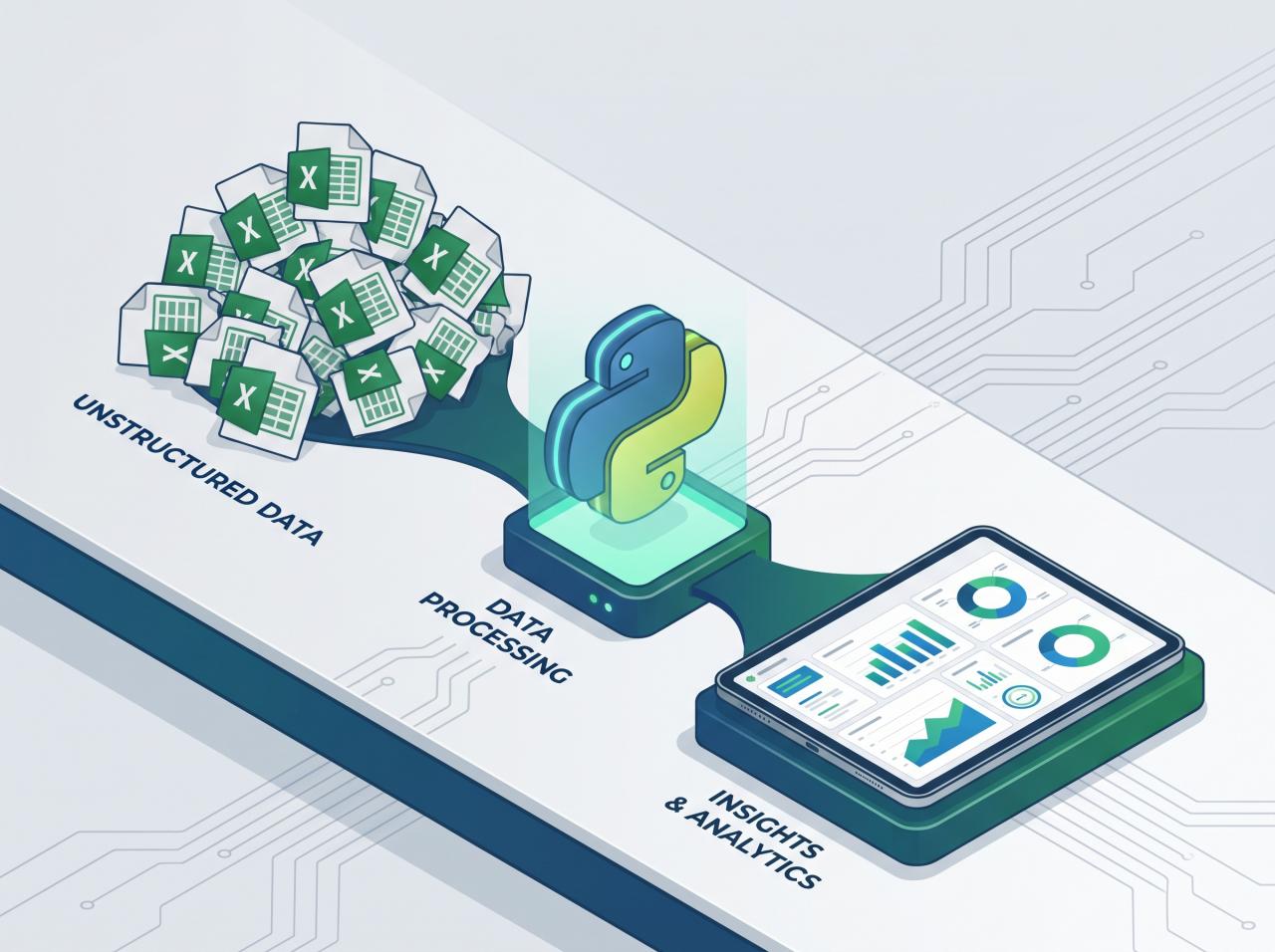
Building a system to capture and route raw text into structured CRM records involves a clear, multi-tiered architecture. We will outline the process of creating a Python-based backend service that receives raw notes, identifies the relevant customer, and updates the CRM via its REST API.
Step 1: Capturing the Data
Whether you use a desktop app or a web form, the frontend must capture a minimum of two data points: the raw text of the notes and a unique identifier for the customer (such as an email address, company name, or CRM Contact ID). This data is packaged as a JSON payload and sent via a POST request to your custom backend service.
Step 2: Processing and CRM Authentication
Your backend, ideally built with Python (using frameworks like FastAPI or Flask) or Node.js, acts as the secure orchestrator. It receives the payload, sanitizes the input, and prepares it for the CRM.
To communicate with modern CRMs like HubSpot, Salesforce, or Pipedrive, your backend must authenticate using OAuth 2.0 or secure API tokens. These credentials must be stored securely using environment variables or a secrets manager, never hardcoded into the application logic.
Step 3: API Integration and Data Sync
The core of the automation is the API request that pushes the data to the CRM. Below is a practical Python example demonstrating how to sync a captured note to a HubSpot contact profile using the requests library.
Python




import os
import requests
import json
from datetime import datetime

def sync_note_to_hubspot_crm(contact_id, note_content):
    """
    Pushes a raw text note to a specific HubSpot contact via API.
    """
    # Securely retrieve the CRM API token
    api_key = os.getenv("HUBSPOT_API_TOKEN")

    if not api_key:
        raise ValueError("CRM API Token is missing from environment variables.")

    url = "https://api.hubapi.com/crm/v3/objects/notes"

    headers = {
        "Authorization": f"Bearer {api_key}",
        "Content-Type": "application/json"
    }

    # Structure the note data according to the CRM's required schema
    timestamp = int(datetime.now().timestamp() * 1000)

    payload = {
        "properties": {
            "hs_timestamp": timestamp,
            "hs_note_body": f"Note captured via Custom Automation:<br><br>{note_content}"
        },
        "associations": [
            {
                "to": {
                    "id": contact_id
                },
                "types": [
                    {
                        "associationCategory": "HUBSPOT_DEFINED",
                        "associationTypeId": 202 # Note to Contact association ID
                    }
                ]
            }
        ]
    }

    try:
        response = requests.post(url, headers=headers, data=json.dumps(payload))
        response.raise_for_status()
        print(f"Successfully synced note to CRM for contact ID: {contact_id}")
        return response.json()

    except requests.exceptions.HTTPError as err:
        print(f"Failed to sync notes to CRM. API Error: {err}")
        # Implement fallback logic here (e.g., save to local database queue)
        return None
This specific automation ensures that the moment a sales representative finishes a call and hits submit on their custom tool, the data is instantly permanently attached to the customer’s timeline.
Elevating the Solution with AI and LLMs
While pushing raw text into a CRM is a massive improvement over losing the data entirely, it still leaves the data somewhat unstructured. A block of text is difficult to use for automated reporting or triggering subsequent workflows. This is where Artificial Intelligence and Large Language Models (LLMs) transform a simple integration into a highly intelligent data pipeline.
Instead of merely forwarding the text, the custom backend can intercept the raw notes and pass them through an LLM API (such as OpenAI’s GPT-4 or Anthropic’s Claude) for natural language processing and entity extraction.
The LLM can be instructed with a strict system prompt to analyze the unstructured, messy notes taken in Word or Notepad and extract specific, structured data points. For example, the LLM can pull out the customer’s budget, decision-making timeline, stated pain points, and specific action items. It can then format this extracted information into a structured JSON object.
The engineering team at Tool1.app often builds custom pipelines where an LLM parses a raw meeting dump and automatically categorizes it. Consider a scenario where a representative types the following hasty note into their custom desktop app:
Call with Sarah from TechLogistics. She was annoyed about their current shipping software crashing. Wants to switch in Q3. Budget is around €25k. Remind me to send the API documentation tomorrow morning.
An intelligent automation script will capture this, send it to an LLM, and receive a structured output:
- Primary Contact: Sarah
- Company: TechLogistics
- Sentiment: Negative/Frustrated with current provider
- Estimated Deal Size: €25,000
- Timeline: Q3
- Action Item: Send API documentation
- Action Date: Tomorrow
The backend automation then executes multiple API calls to the CRM. It updates the core CRM fields (updating the Deal Amount to €25,000 and the Close Date to Q3), posts the raw text as a historical note, and automatically creates a Task assigned to the sales representative for the next morning to send the API documentation. The sales representative did nothing but type a few sentences into a fast, minimalist interface. The AI automation handled all the heavy lifting of CRM data entry.
Managing Edge Cases and Ensuring Reliability
When building custom software to handle crucial business data, reliability is non-negotiable. Network instability, CRM API rate limits, or temporary server outages must not result in data loss.
To guarantee that you never fail to sync notes to CRM profiles, the architecture must include robust queueing and error handling. If the desktop application or web form cannot reach the CRM API directly due to an outage, the data should not simply disappear. Instead, the application should cache the notes in a local, encrypted SQLite database or a secure cloud message queue (like RabbitMQ or AWS SQS).
A background worker process will then periodically check the queue and attempt to re-sync the data once the connection is restored. This asynchronous, event-driven architecture ensures zero data loss. The user receives immediate visual confirmation that their note was saved locally, allowing them to move on to their next call without waiting for a slow API response.
Security, Authentication, and GDPR Compliance
Integrating custom automation into your data flow requires a strict adherence to security best practices. Customer notes frequently contain highly sensitive information, trade secrets, and personally identifiable information.
When designing a custom bridge between your note-taking interface and your CRM, data must always be encrypted in transit using TLS 1.2 or higher. If you choose to cache data locally to handle offline modes, the local database must be fully encrypted at rest using robust AES-256 encryption.
Furthermore, API access must be tightly controlled. Never distribute raw CRM API keys inside the client-side code of a web form or desktop application. A bad actor could reverse-engineer the client and extract the API key, granting them full read and write access to your entire CRM database. Always route requests through a secure middleware server that you control. The middleware server authenticates the user, securely holds the CRM API keys, and limits the scope of what the user can do (e.g., allowing them only to append notes, not delete contacts).
Measuring the ROI of Custom Automation
Investing in custom software to streamline data entry provides an immediate, highly measurable Return on Investment. To calculate the ROI for your own business, you must look at three distinct metrics: time recovered, data accuracy, and increased deal velocity.
First, track the hours previously spent by your team engaged in administrative “cleanup.” If a custom web form or desktop app saves a mid-sized team of account managers a combined 80 hours a month, you are instantly recovering thousands of Euros in payroll that can now be directed toward revenue-generating activities.
Second, audit the health of your CRM pipeline. With automated syncing and AI-driven data extraction, the volume of logged interactions will increase significantly. You will observe fewer “stale” deals sitting in the pipeline because follow-up tasks are being automatically generated by the LLM parsing engine.
Finally, consider the preservation of institutional knowledge. When an employee leaves the company, their local hard drives and personal Word documents are often wiped or inaccessible. If they have been relying on manual data entry, a vast amount of client history leaves with them. By deploying an automated bridge that silently and consistently pushes data to the central CRM, the business retains complete ownership of its customer relationships, drastically reducing the friction of onboarding new account managers.
Streamline Your Data Workflow Today
The modern business landscape moves too fast to rely on manual data entry and fragmented text documents. Forcing highly paid sales professionals to perform the duties of a data entry clerk is an inefficient use of resources and a guaranteed way to lose critical customer intelligence. By building a custom, frictionless interface that leverages automation and artificial intelligence, you empower your team to focus entirely on the client, knowing the technology is silently structuring and securing their data in the background.
Tired of losing track of client details? Let Tool1.app streamline your data tools. Our expert software development team can architect, build, and deploy custom desktop apps, secure web forms, and powerful Python automations tailored precisely to your workflow. Stop fighting with your CRM and start leveraging your data. Contact us today to discuss how we can build an automated, intelligent bridge for your business.




Leave a Reply
Want to join the discussion?Feel free to contribute!
Join the Discussion
To prevent spam and maintain a high-quality community, please log in or register to post a comment.